ON/QC region scopes proposal
Proposal for discussion
Region scopes stop local chatter from flooding the whole network. Today's setup is hard to follow, so this proposal cuts it down to five levels of codes that everyone in Ontario and Québec can remember.
- Not adopted yet
- Ontario + Québec pilot
- Repeater firmware 1.16+ recommended
- MeshCore app 1.43+
What do I need to do?
| You… | What to do | When |
|---|---|---|
| Use the MeshCore app with a companion radio | Nothing yet. Leave your settings as they are. Phase 2 walks you through two settings, with screenshots. | January 2027 at the earliest |
| Own a repeater | Follow Phase 1: Repeater setup. | Now |
| Run a bot or MeshMapper | Scope it to your city, as described in Bots and MeshMapper. | End of Phase 1, once the repeaters around you are set up |
Each phase is announced on the MeshCore Canada Discord. The rest of this page explains how it all works. You don't need to understand it to follow the steps.
The short version
There are five levels of scope. Every repeater carries one code from each: its city, its province, onqc, can and na. When you send a message, the scope decides how far it travels. can and na are reserved for later, so for now you only pick from the first three.
Province
on qcEvery repeater in that province.
Mesh
onqcEvery repeater in Ontario and Québec.
Canada
canAll of Canada. Reserved for later: carried now, not used yet.
North America
naCanada and the US. Reserved for later: carried now, not used yet.
Once every phase is done:
- Repeaters carry their city, their province,
onqc,canandna. - Bots and MeshMapper use their city, so they stay local.
- Companions use
onqcas their default, so direct messages reach anyone. Publicusesonqc, so everyone in Ontario and Québec can talk.- Test channels use your city, so they stay local.
- Messages with no scope still work inside each city. Edge repeaters, the ones that link two cities, drop them, so they don't flood the next city.
Companions come last, in Phase 2. Setting a scope on your companion before the repeaters around you are ready makes your messages reach fewer people, not more.
Words used on this page
- Companion: the MeshCore radio you pair with the app on your phone or computer.
- Repeater: a fixed radio, often on a roof or tower, that passes messages along.
- Flood: how a message spreads when it has no known route: every repeater that hears it passes it on. Channel messages always flood, and so does the first DM to someone.
- Hop: one repeater passing a message on.
- DM: a direct message to one contact.
- Advert: a radio announcing itself so others can find it.
- Edge repeater: a repeater that regularly talks to repeaters in two
MeshMapper zones, for example both
yowandyul.
What a scope is
A scope is a short name attached to a message, such as yow. Repeaters use it
to decide whether to pass the message on.
A scope is not encryption and not a GPS fence. Anyone who knows the name can use it, and it has nothing to do with where you are. It is only a label that says "repeaters that carry this name, please forward this."
Your app turns the name into a small code and puts it in the message header. Every repeater keeps a list of names it will forward. When a message arrives, the repeater checks the code against its list.
How a repeater decides
Show the explanation
Here is an Ottawa repeater under this proposal, and what it does with five different messages.
Ottawa repeater
- yow Ottawa channelForwarded
- onqc DM to Québec City, sent with the companion defaultForwarded
- none Older app, no scopeForwarded
- yul Montréal channelDropped
- qc Québec-wide channelDropped
*. Forward it only if * is allowed.flood.max, whatever its scope.onqc because onqc is the companion default in this proposal. See why further down. The repeater still hears every message. A scope only decides whether it passes the message on. Your companion also receives everything that reaches it.Four details catch people out:
- Spelling must be exact.
yow,YOWandottare three different names. A companion set toyowis ignored by a repeater that only carriesott. - Only floods are checked. Once a direct message has a known path, it goes straight along that path and scopes no longer matter.
- There is no inheritance. Carrying
ondoes not mean carryingyow. Each name has to be on the list by itself. - A repeater with no regions set drops every scoped message. Out of the
box, a repeater only carries
*, so it forwards messages with no scope and nothing else. Scoped messages only work once the repeaters along the way are set up.
The five levels
na North America Reserved for later. Carried now, not used yet.
can Canada Reserved for later. Carried now, not used yet.
onqc Mesh Every repeater in Ontario and Québec
on Ontario
qc Québec
yow zone crosses the Ottawa River. Gatineau repeaters use yow for their city and qc for their province.What about can and na?
Every repeater carries can now so that a Canada-wide scope works later
without anyone having to reconfigure their repeater again. Many repeaters set
up with the current configurator already carry it.
Don't use can on your companion or channels yet. Today it reaches the same
repeaters as onqc. Keep using onqc. Once other provinces carry can too,
it becomes the way to reach further, and onqc stays as "just the Ontario and
Québec mesh".
na (North America) is the same idea one level up. It is there so the mesh
can link with the US one day, again without anyone reconfiguring their
repeater. Don't use na yet either.
Why airport codes?
Show the explanation
- They are the same codes MeshMapper already uses, for example
yow.meshmapper.net. - MeshCore already uses airport codes elsewhere, such as the location code every observer reports. They are not a perfect fit for mesh areas, but that is not going to change, and a second set of names just for regions would only add confusion over time.
- There are no accents or capital letters to get wrong.
montréal,Montrealandmontrealwould be three different scopes. - They are easy to split later. If Renfrew wants its own area one day, it can
use its own airport code and still keep
onandonqc. Nothing else changes.
Always write the code with its area the first time, for example
yow (Ottawa / NCR area), so people learn it.
Reading region def yow|* on|* onqc|* can|* na
This section is for repeater owners who want to understand the command. You can skip it: step 4 of Phase 1 gives you the exact commands to type.
Show how the command works
region def builds a repeater's list in one line. It keeps a cursor that
starts at the top, *. Each name is created under the cursor, and |* jumps
the cursor back to the top.
- Create
yowunder the cursor. The cursor moves intoyow.* └ yow |*jumps the cursor back to the top.* └ yow- Create
onunder the cursor. The cursor moves intoon.* ├ yow └ on |*jumps back to the top again.* ├ yow └ on- Create
onqc.* ├ yow ├ on └ onqc |*back to the top.* ├ yow ├ on └ onqc- Create
can.* ├ yow ├ on ├ onqc └ can |*back to the top.* ├ yow ├ on ├ onqc └ can- Create
na. Done.* ├ yow ├ on ├ onqc ├ can └ na
*. The highlighted name is where the cursor is.region def only adds or moves names. It never deletes the ones already
there. Run region afterwards to see the full list.
Rollout order
Do this in order. Each phase starts only once the one before it is done, and is announced on Discord. Don't change your companion settings yet. Phase 2 is not open.
Repeaters
Now. Owners clear old regions and add their codes. City repeaters keep
*allowed; edge repeaters drop it. Near the end, bots and MeshMapper are scoped to their city. Nothing breaks inside any city.Companions
January 2027 at the earliest, once the repeaters around them are set up. Users set their default and
Publictoonqc, and test channels to their city.Only if needed
If messages with no scope are still too noisy inside a city, repeaters can also run
set flood.max.unscoped 3. Scoped messages still reach 16 hops.
Phase 1: Repeater setup
Phase 1 has three goals:
- Get the new region config on every repeater, so each one carries its
city, its province,
onqc,canandna. - Limit unscoped traffic between cities. Edge repeaters drop messages with no scope, so local chatter stays in its own city.
- Near the end, scope bots and MeshMapper to their city, once the repeaters around them carry the city code. See Bots and MeshMapper.
Companions don't change anything in this phase. If you only use the app, there is nothing for you to do here.
Type these into the repeater's command line one command at a time: in the
MeshCore app, open the repeater, log in as admin and use the command box in
Repeater Admin, or use the USB console. Each command has its own copy
button. Wait for OK before sending the next one.
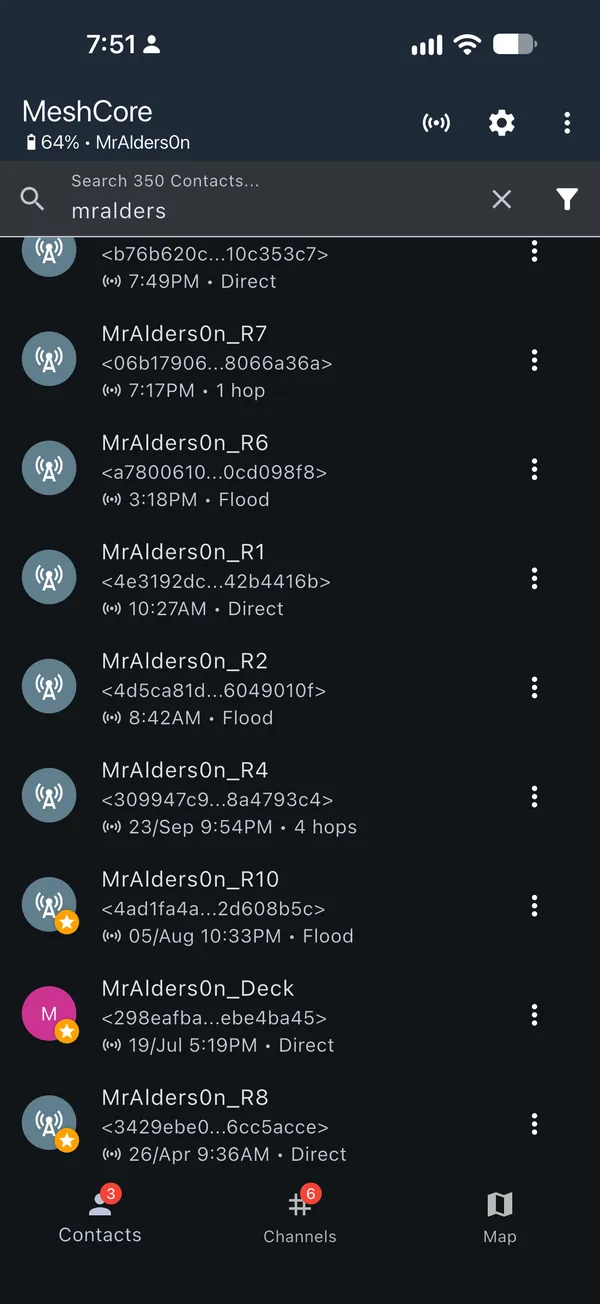
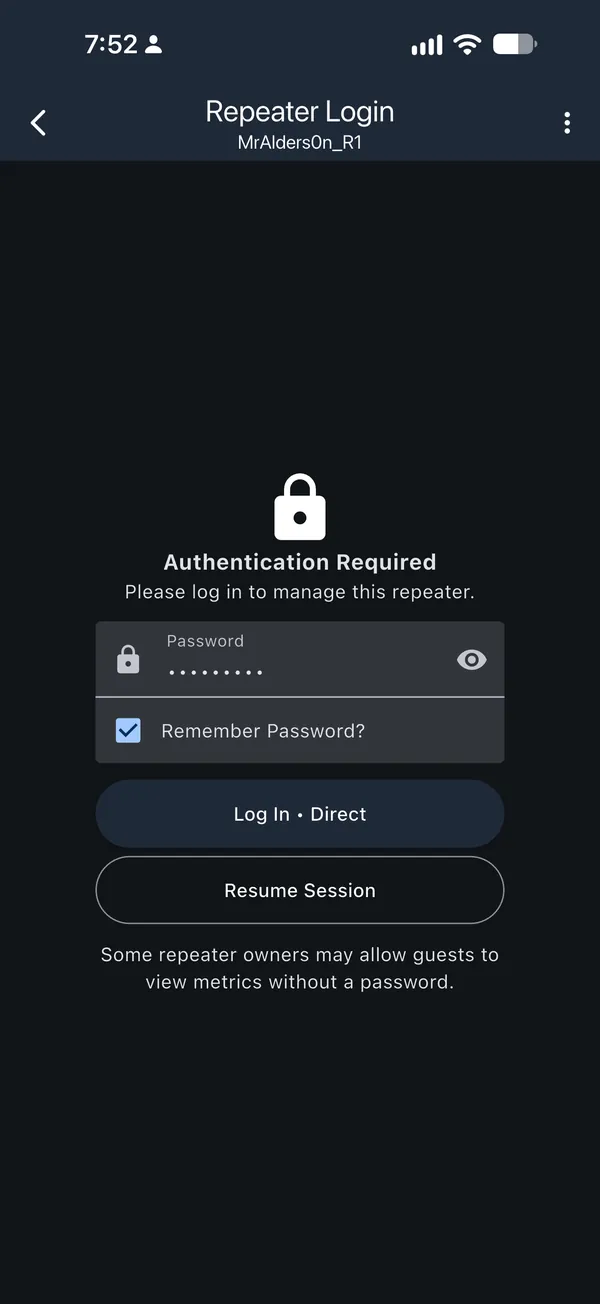
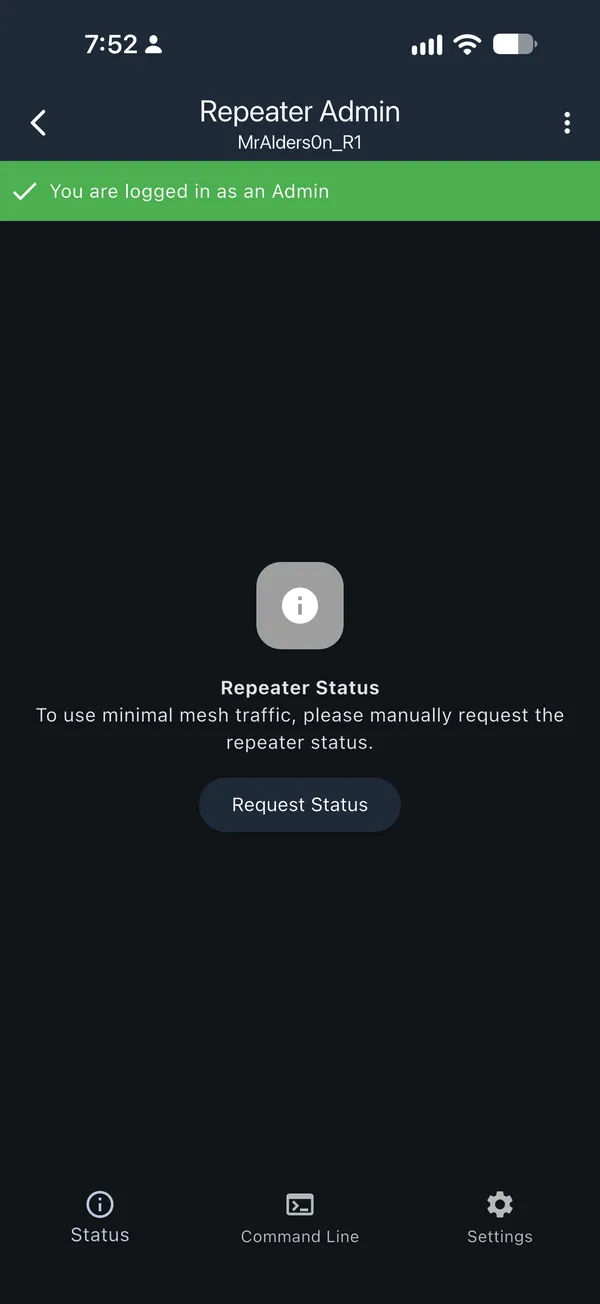
Tip: every command should get a reply, usually OK. If nothing comes back
after a few seconds, send it again: tap and hold the command and choose
Send Again. Sending a command twice is safe.
Step 1: Check your firmware and describe your repeater
ver
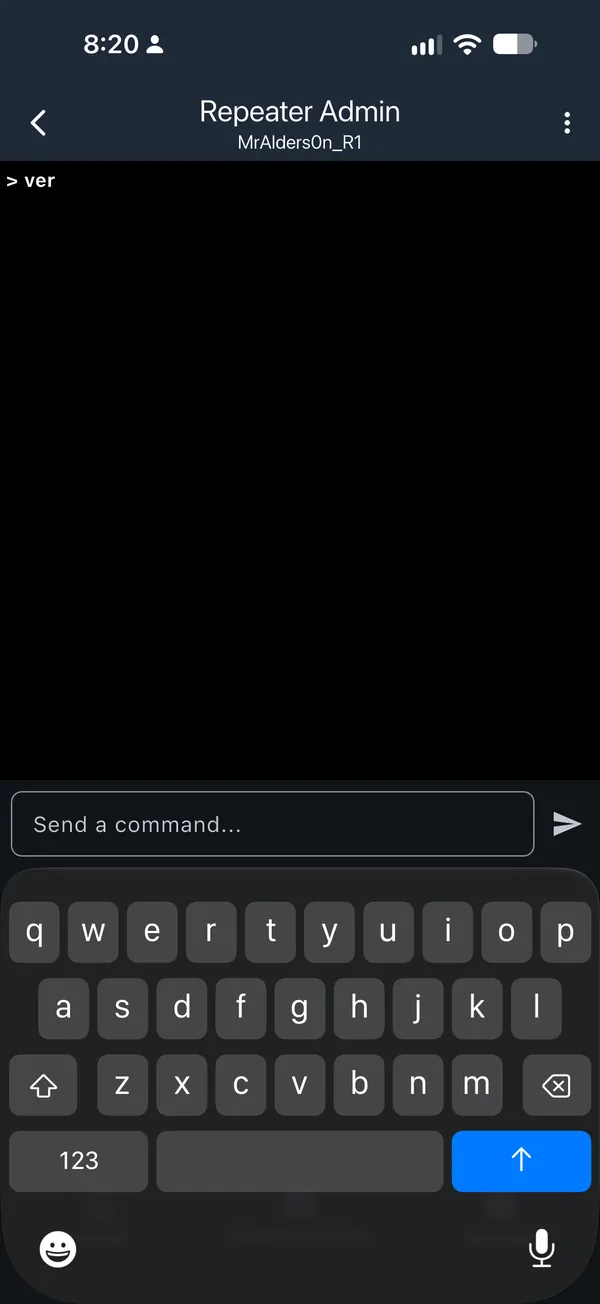
ver and tap send. The firmware version appears underneath, for example v1.15.0.Then tell us about your repeater. Steps 3 and 4 show the right commands for it. Your area is your MeshMapper zone: open MeshMapper and find the zone your repeater sits in. These zones follow the MeshMapper boundaries that already exist. They are not perfect, but they are how most people already see the map today, so there is nothing new to learn.
City or edge? An edge repeater regularly talks to repeaters in two
MeshMapper zones, for example both yow and yul. Every other repeater is
a city repeater, including one on the outer edge of its zone: if nothing on
the other side connects to it, it is a city repeater. If it starts linking to
another zone regularly, switch it to edge.
Not sure? Check the map. Open this MeshMapper view. It shows zone boundaries and repeater neighbours on a dark map, so the borders are easy to see. Click your repeater to see its neighbours. For each one, the map shows how many packets have been seen on that link and when it was last seen. If several neighbours are outside your MeshMapper zone and those links are used often and recently, make it an edge repeater. A single link seen a few times, or not for weeks, doesn't count.
Step 2: Clear any old regions
The new commands don't delete regions that are already on the repeater. To avoid conflicts, remove any old ones first. Start by listing what is there:
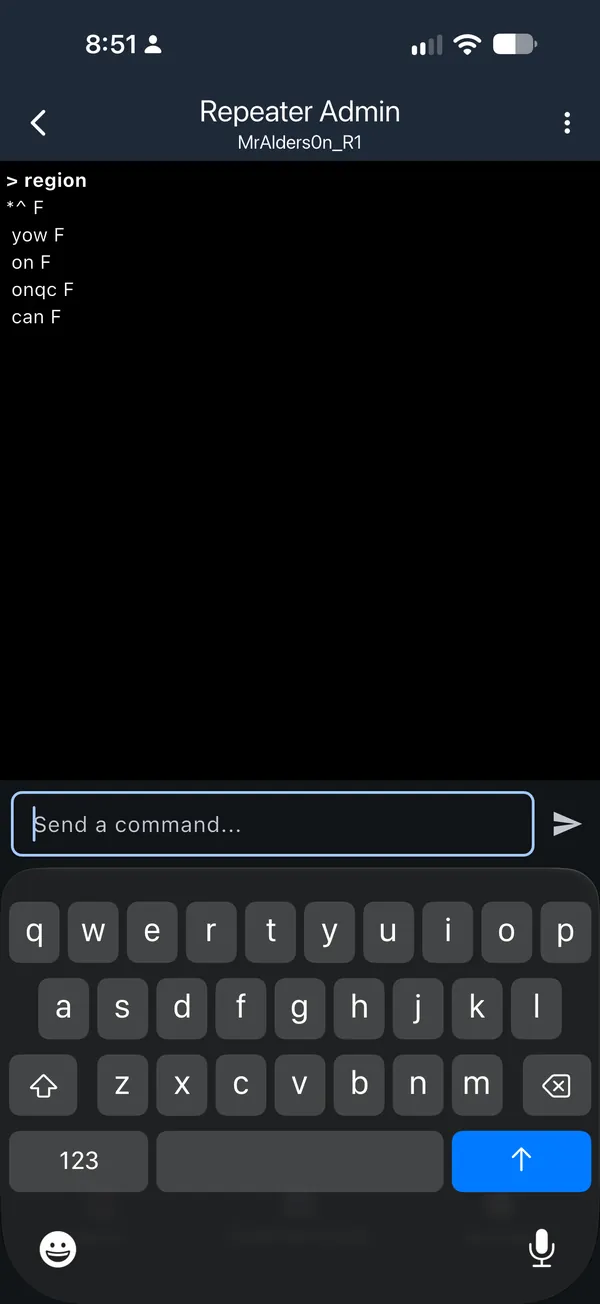
region
Does the reply list any names other than *?
Then check the reply:
- Only
*^ F: the repeater has no old regions. Nothing to clear, go to step 3. - Other names as well, such as
can,on-algorott: remove them as shown below.
Nothing to clear. Your repeater has no old regions. Go straight to step 3.
Remove each name except * with region remove <name>, one at a time,
starting with the most indented line. Then run region save, and region
again to check. For example, the old Ottawa layout:
Example: the old Ottawa layout
region remove ottregion remove on-algregion remove onregion remove canregion saveregion
If a region remove answers with an error:
Err - not empty: another name is still indented under it. Remove that one first, then try again.Err - not found: that name is already gone. That is fine, carry on.
Removing on and can is fine too. Step 4 adds them back. When you are done,
region should show only *^ F.
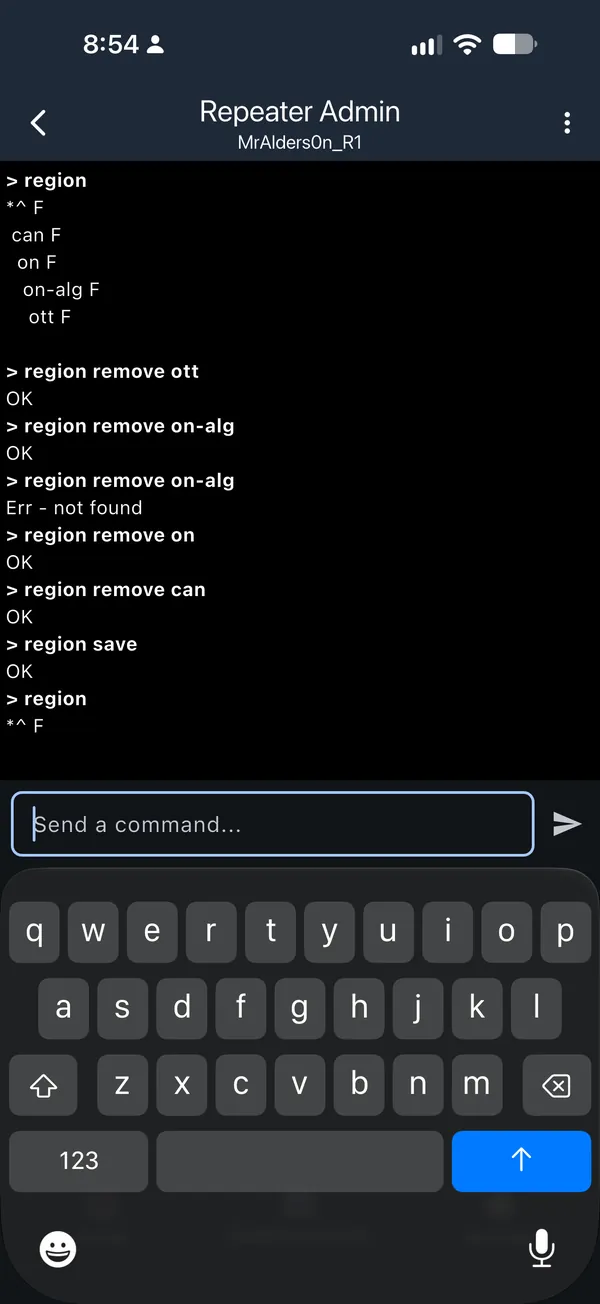
Err - not found. That is fine.Step 3: Standard MeshCore Canada settings
Ottawa and surrounding areas · 1.16 or newer · City repeater
set path.hash.mode 2set advert.interval 240set flood.advert.interval 47set flood.max 16
set path.hash.mode 2 is left out: it needs firmware 1.14 or newer.
These commands are for an Ottawa-area city repeater on firmware 1.16 or newer. Turn on JavaScript to match them to your repeater.
What do these commands do?
- path.hash.mode 2
- Uses 3-byte repeater IDs in message paths, so fewer repeaters share an ID. Needs firmware 1.14 or newer.
- advert.interval 240
- Announces this repeater to direct neighbours every 4 hours.
- flood.advert.interval 47
- Announces this repeater across the network every 47 hours.
- flood.max 16
- No flood message travels more than 16 hops, scoped or not.
These save by themselves. No region save is needed for them. If a command
answers Err - ??, your firmware does not have that setting, so skip it.
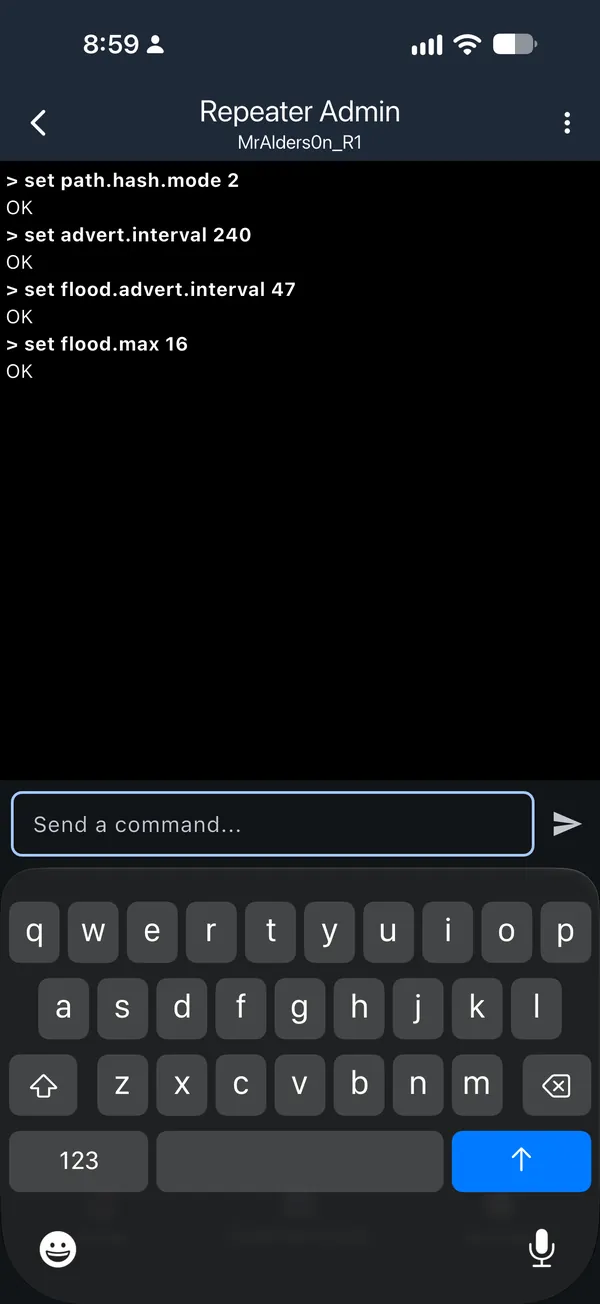
OK.Step 4: Region settings
These follow your answers in step 1. Run them in order.
Ottawa and surrounding areas · 1.16 or newer · City repeater
region def yow|* on|* onqc|* can|* naregion allowf *region default yowregion save
region def answers with the finished list, so you can see straight away that it worked.
Each region put answers OK - (flood allowed), and region default answers default scope is now ….
On this firmware a new region starts with forwarding off, so each one also needs region allowf. There is no region default, so this repeater's own adverts stay unscoped. Updating the firmware is worth it.
Edge repeater: drops messages with no scope, so they do not flood the next city. Use it for any repeater that regularly talks to repeaters in two MeshMapper zones, such as Rigaud, which links yow and yul. Otherwise, messages with no scope leak through it. Nearby people without a scope are not relayed by it, so avoid it where it is the only repeater. See Who hears what.
Neighbouring city: this only helps people near this repeater take part in that city's channels. Everyone else reaches the other city through onqc. Rigaud, for example, carries yul as well as yow.
These commands are for an Ottawa-area city repeater on firmware 1.16 or newer. Turn on JavaScript to match them to your repeater.
What do these commands do?
- region def / region put
- Carry your city, your province,
onqc,canandna. - region allowf * / region denyf *
- City repeaters forward messages with no scope (on by default, set so you can see it). Edge repeaters drop them.
- region default <city>
- This repeater's own adverts use your city's scope, so they stay local. Not available before 1.15.
- region save
- Keeps the region settings after a reboot.
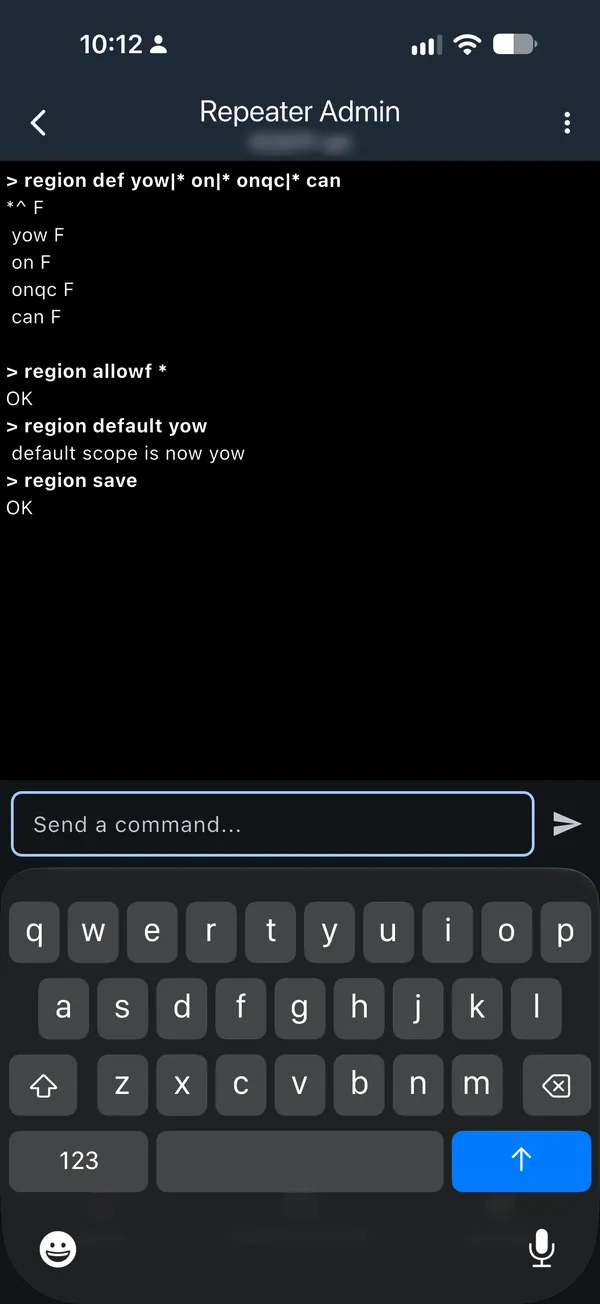
region def answers with the finished list.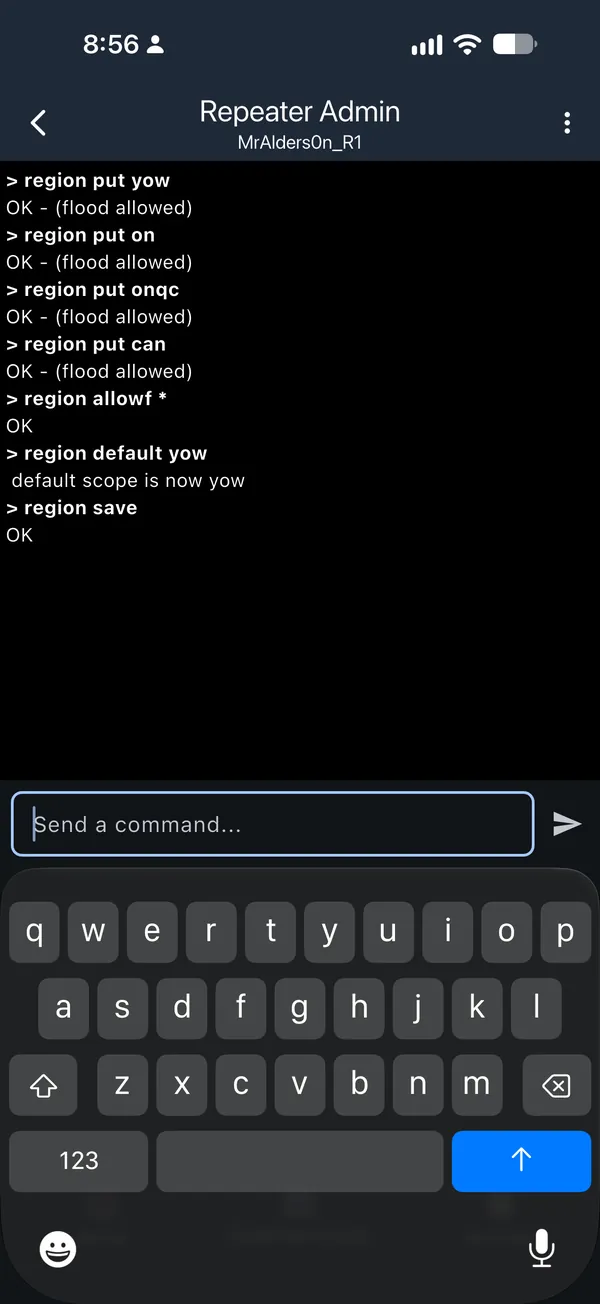
region put answers OK - (flood allowed).Step 5: Check the result
region
For Ottawa, you should see:
*^ F
 yow F
 on F
 onqc F
 can F
 na F
F means "flood allowed": the repeater forwards that name. The ^ next to
* marks the repeater's home region; with none set, it sits on *. You can
ignore it.
Allow or drop, quick reference
Show the quick reference
| Command | What it does |
|---|---|
region allowf <name> |
Forward messages with that name |
region denyf <name> |
Drop messages with that name. The repeater still receives them itself. |
<name> |
Can be * for messages with no scope, or a code such as yow |
set flood.max.unscoped <hops> |
A separate hop limit for messages with no scope. It only matters when it is lower than flood.max. 0 has the same effect as region denyf *. |
region save |
Always run it after allowf or denyf |
Bots and MeshMapper
This comes at the end of Phase 1, once the repeaters around you carry your city code. Scoping bots and MeshMapper to your city keeps their traffic out of other cities.
- Bots: on the companion the bot uses, set Default Region Scope to
your city code, for example
yow. The steps are the same as Phase 2, step 1, with your city code instead ofonqc. Set any channel the bot posts in to your city as well. - MeshMapper: use your city code as the scope for its messages.
Phase 2: Companion setup
Not yet. The earliest this should be considered is January 2027. Phase 1
has to be finished first. A repeater with no regions set drops every scoped
message. If you set your default to onqc before the repeaters on your routes
carry it, your channel messages and first DMs will only reach nearby. Until
Phase 2 is announced, leave Default Region Scope empty and your channels
unscoped. You will still receive everything.
When Phase 2 opens, this is all you need to do: set a default scope, then set a scope on a few channels. It takes about five minutes in the MeshCore app.
Step 1: Set your default scope
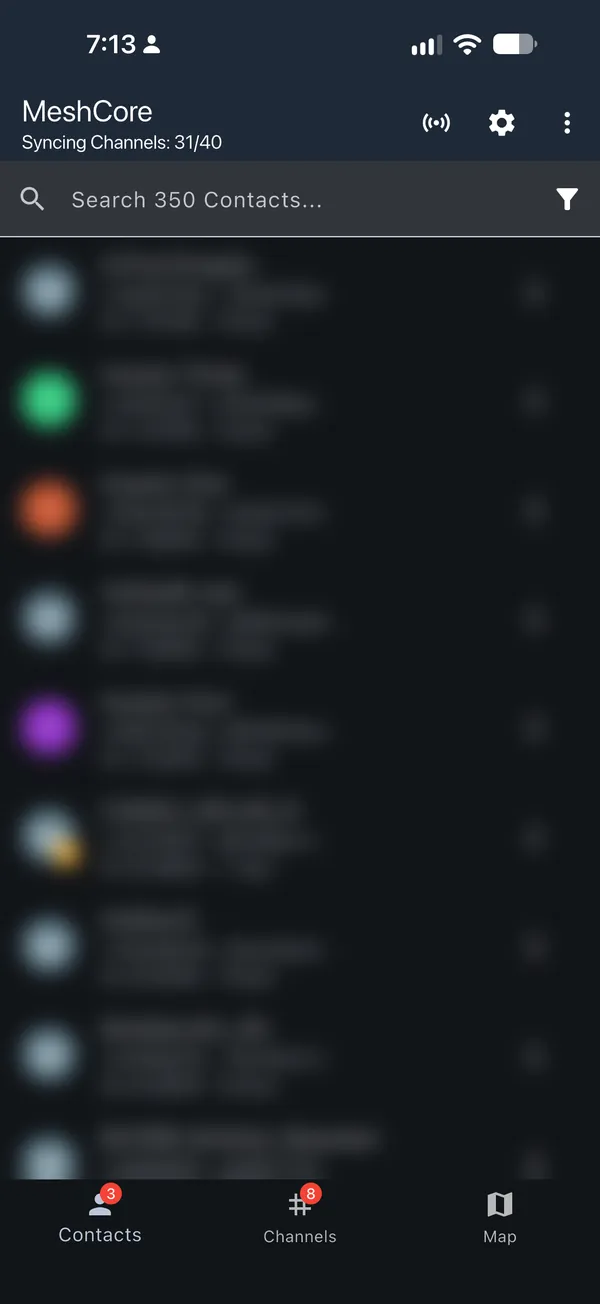
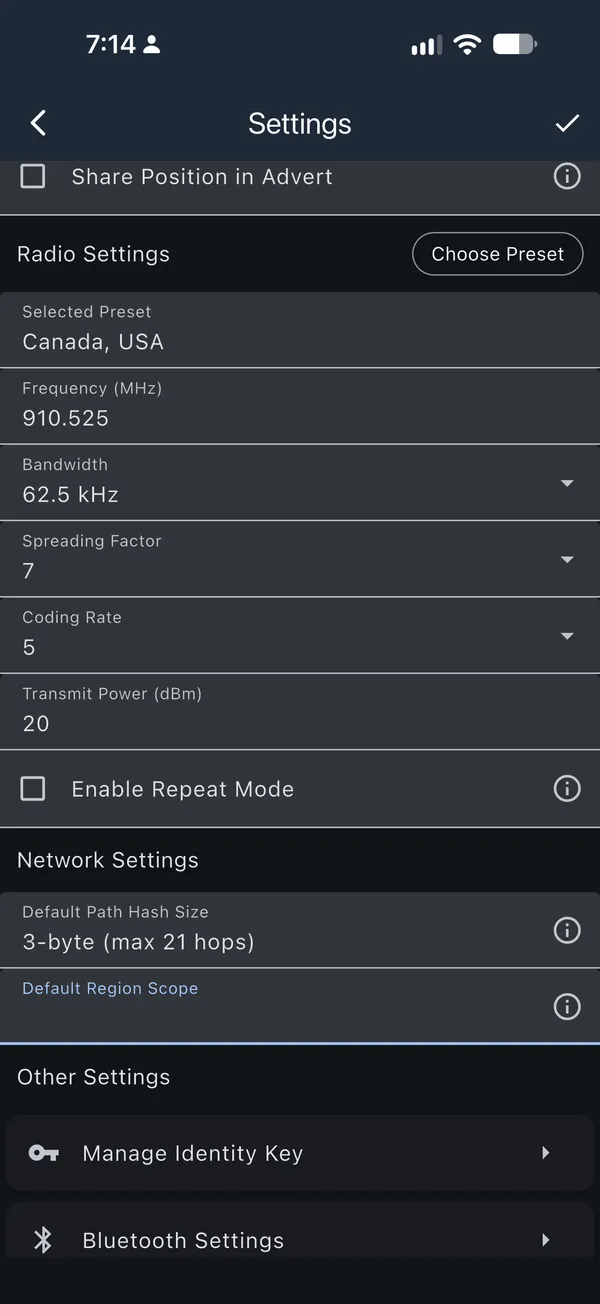
In the MeshCore app, open Settings. Under Network Settings, tap
Default Region Scope, add onqc and select it.
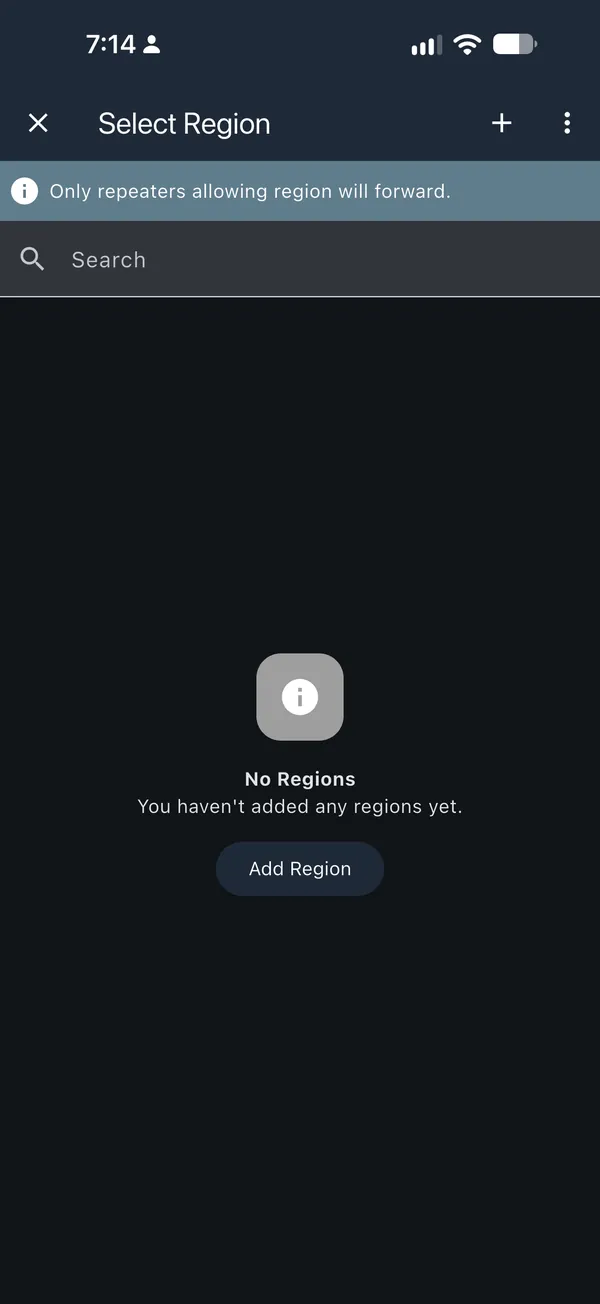
onqc is not listed, tap Add Region, or the + at the top right.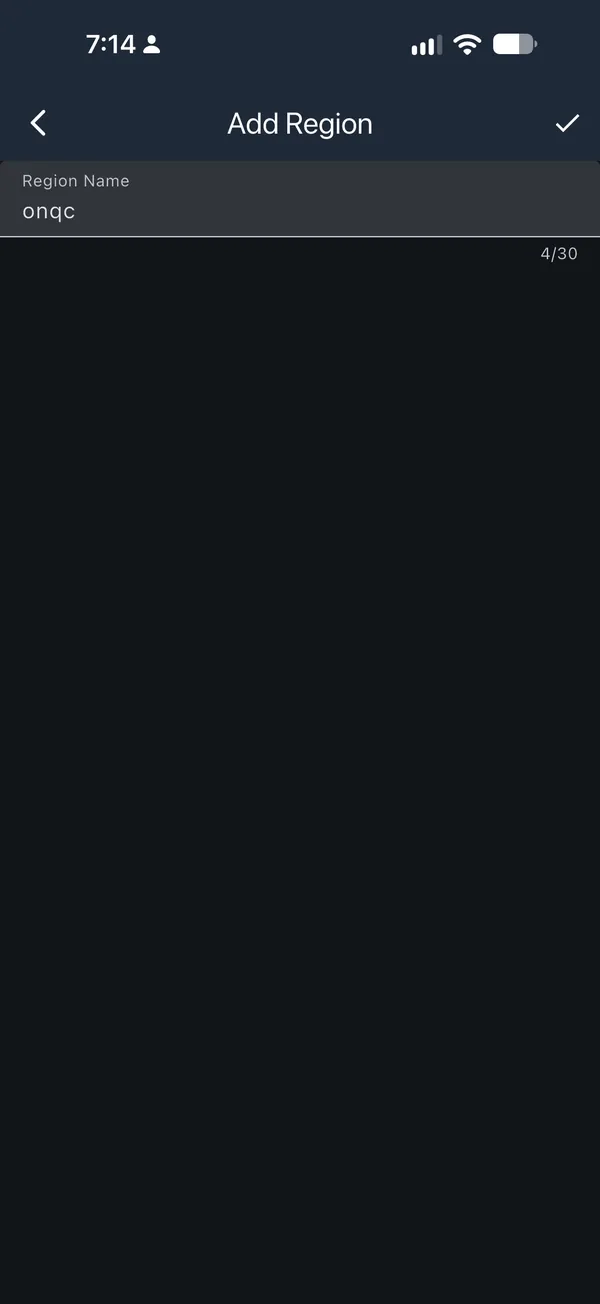
onqc, all lowercase, and tap the checkmark in the top right.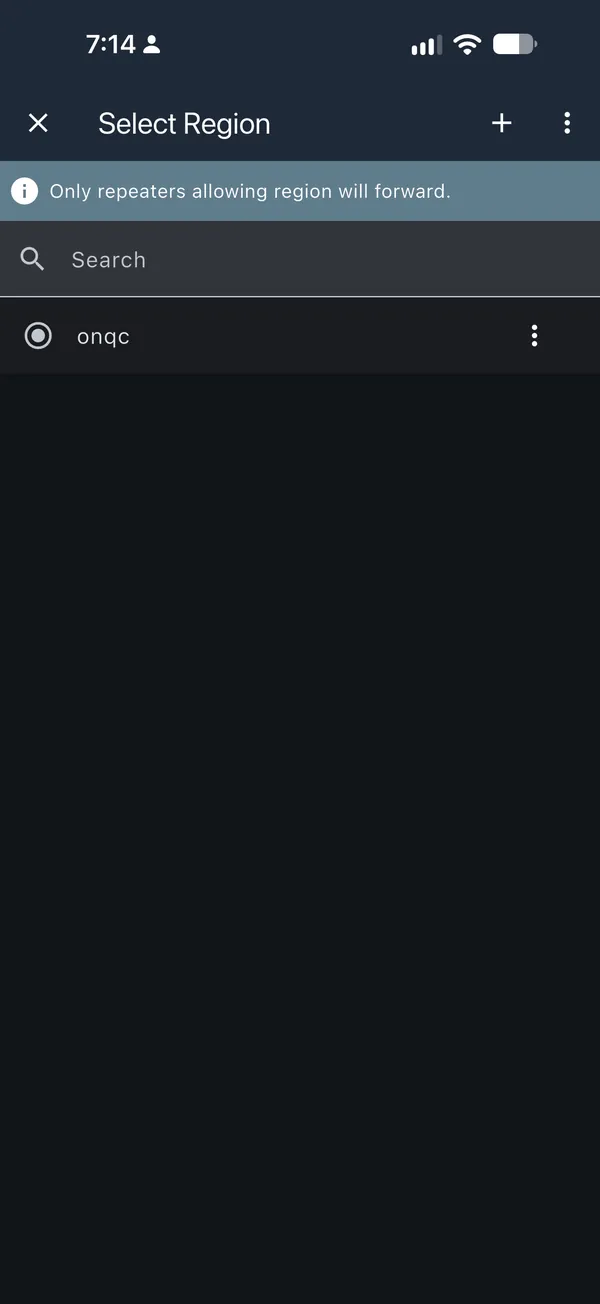
onqc to select it.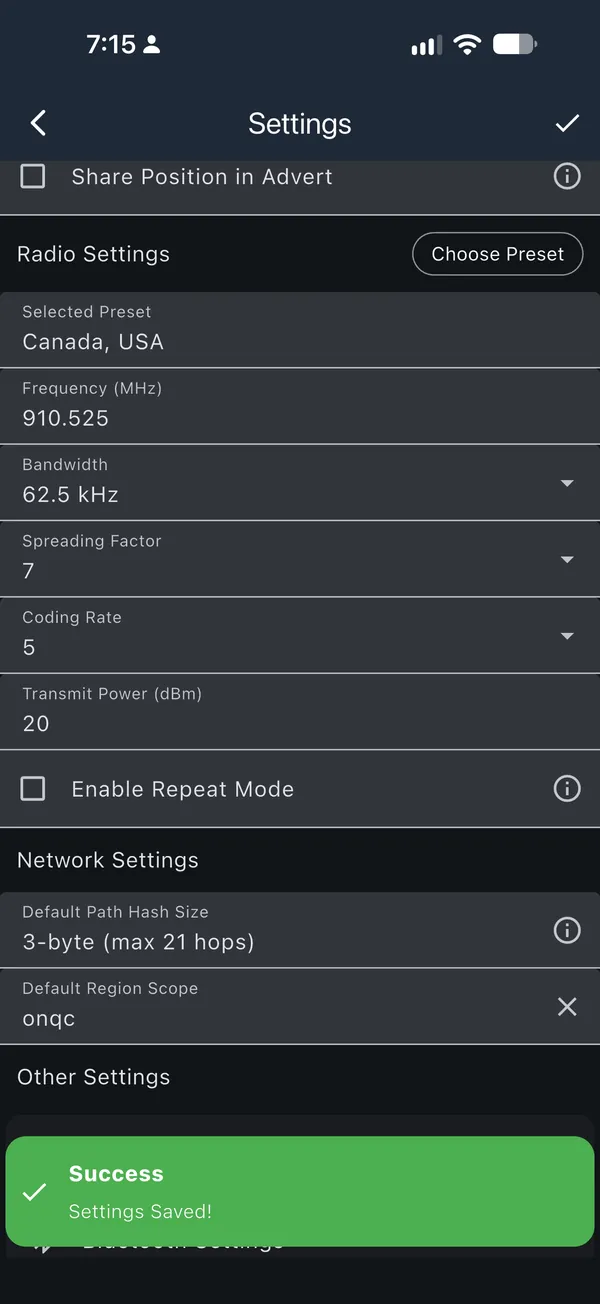
onqc. Tap the checkmark in the top right. It spins while saving, then Settings Saved! pops up.Step 2: Set a scope on each channel
Open the channel, tap ⋮ in the top right, choose Set Region Scope, and pick the scope from this table:
| Channel | Scope | Why |
|---|---|---|
Public |
onqc |
Everyone in Ontario and Québec can talk |
Test channels, such as #testing |
Your city, for example yow |
Tests stay local |
Bot channels, such as #bots |
Your city, for example yow |
Bot replies stay local |
| Your own channels | Your city, on/qc, or onqc |
Pick how far it should reach |
If you run a bot, it should already be on your city from Phase 1.
Example: Public to onqc
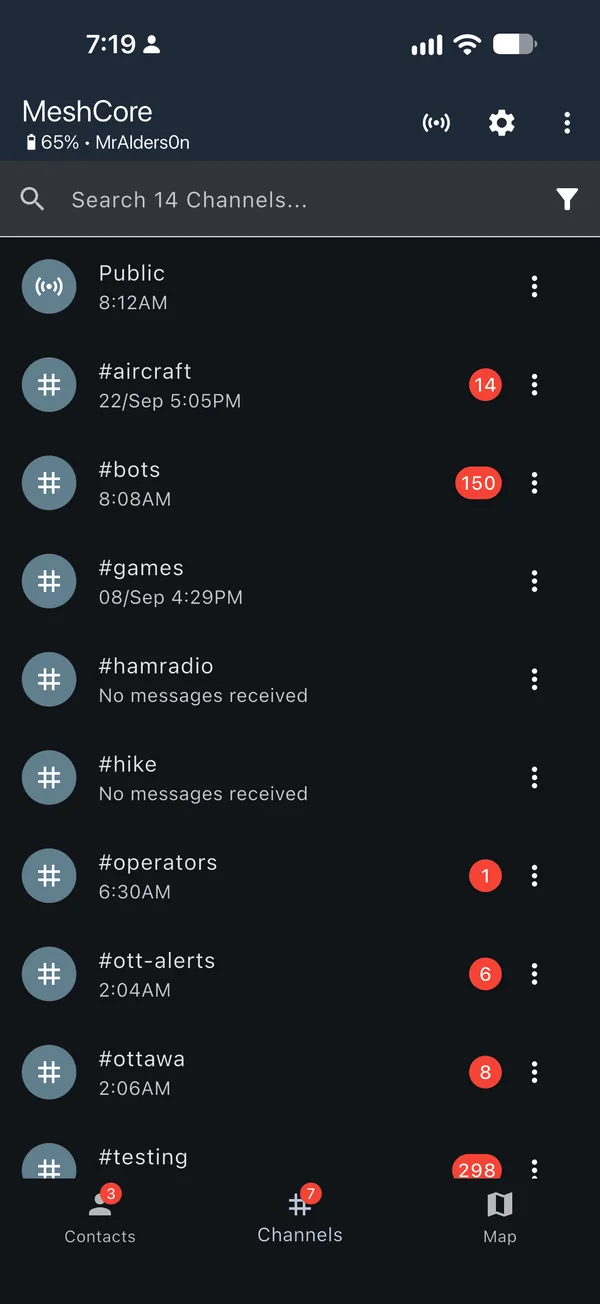
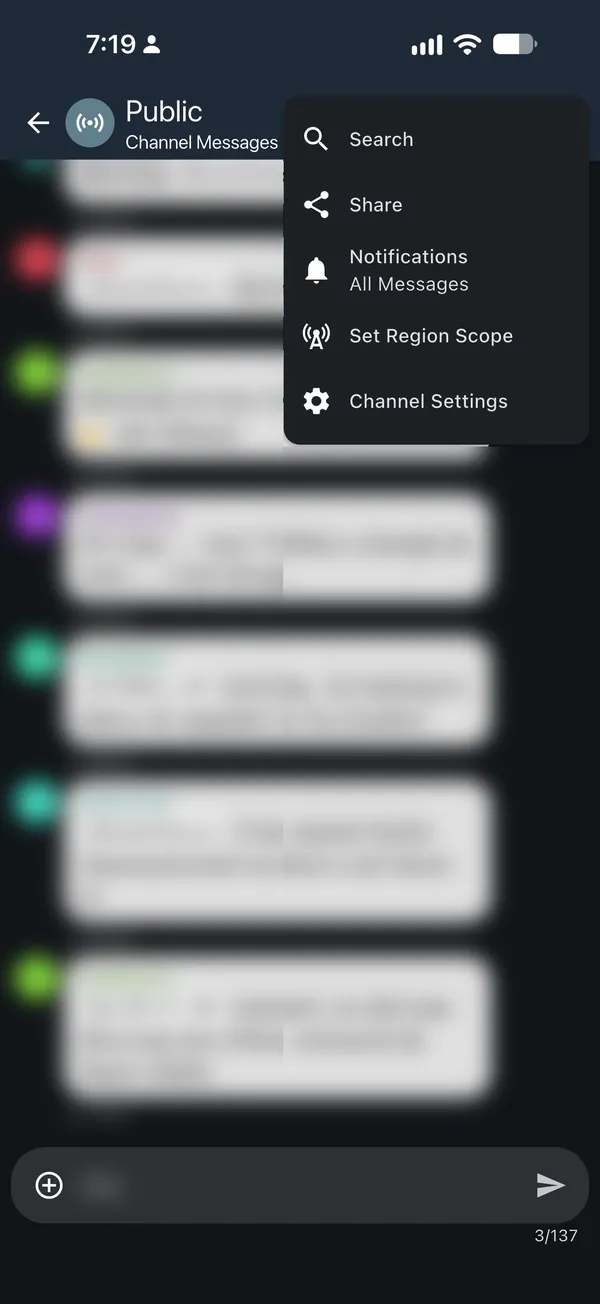
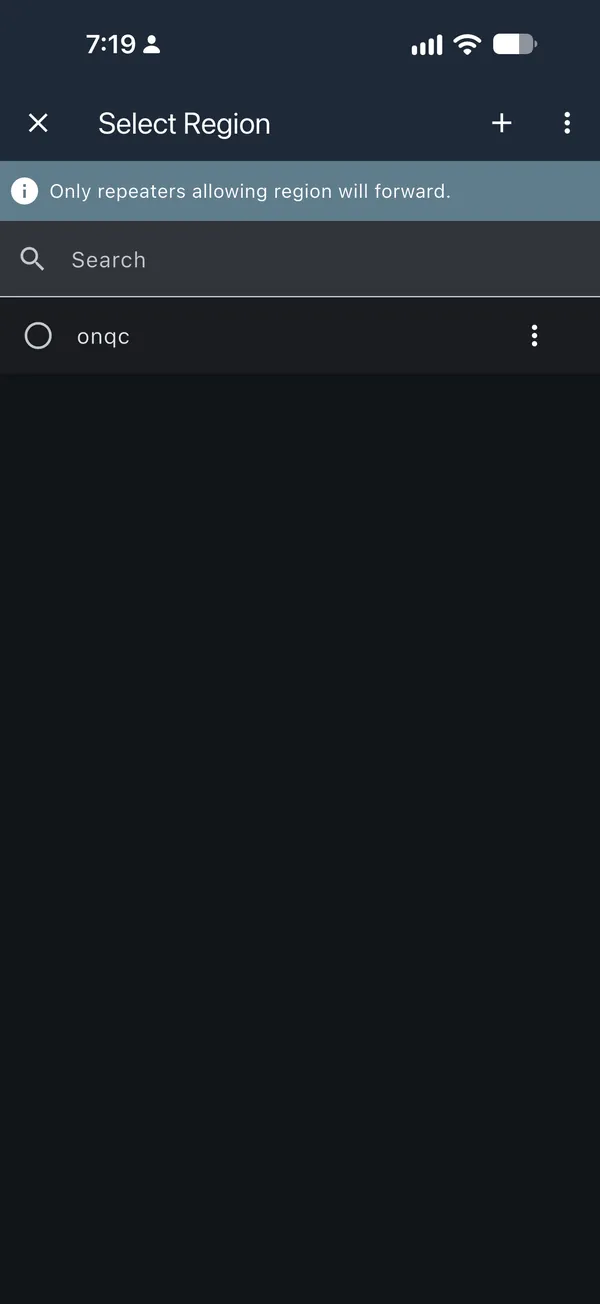
onqc.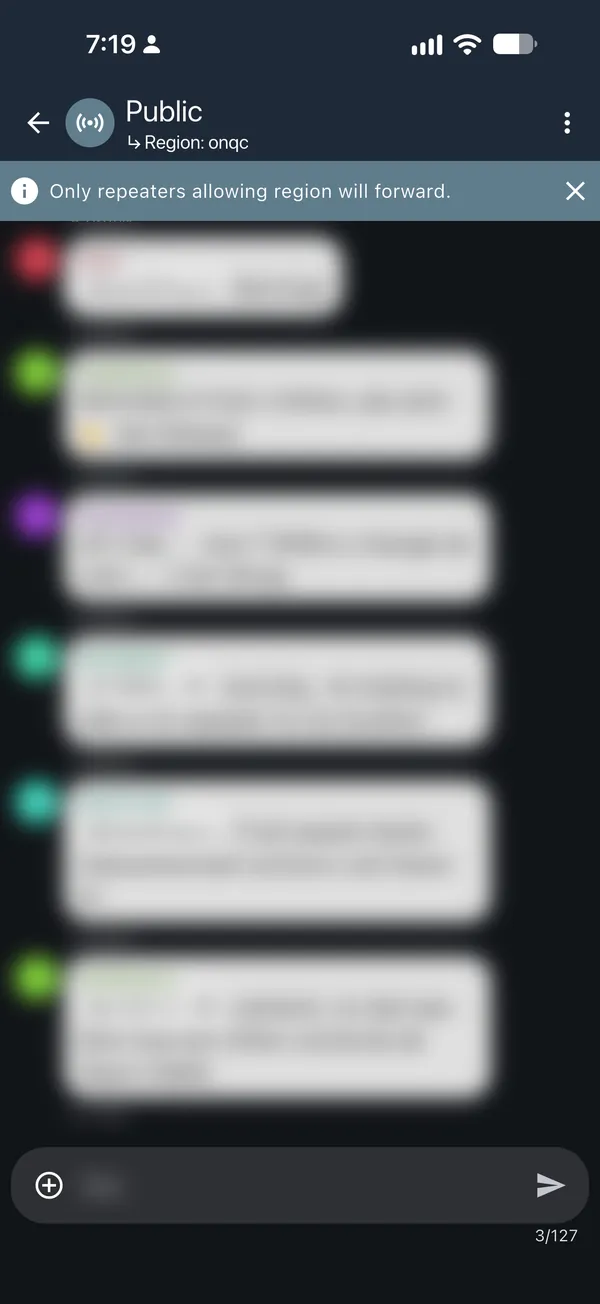
Scoped messages are a little shorter. Once a channel has a scope, the app
allows fewer characters per message. In our testing, the limit on Public
dropped from 137 to 127 characters after setting it to onqc. The app sets
the exact limit, and it can vary with your node name and app version.
Example: #testing to your city
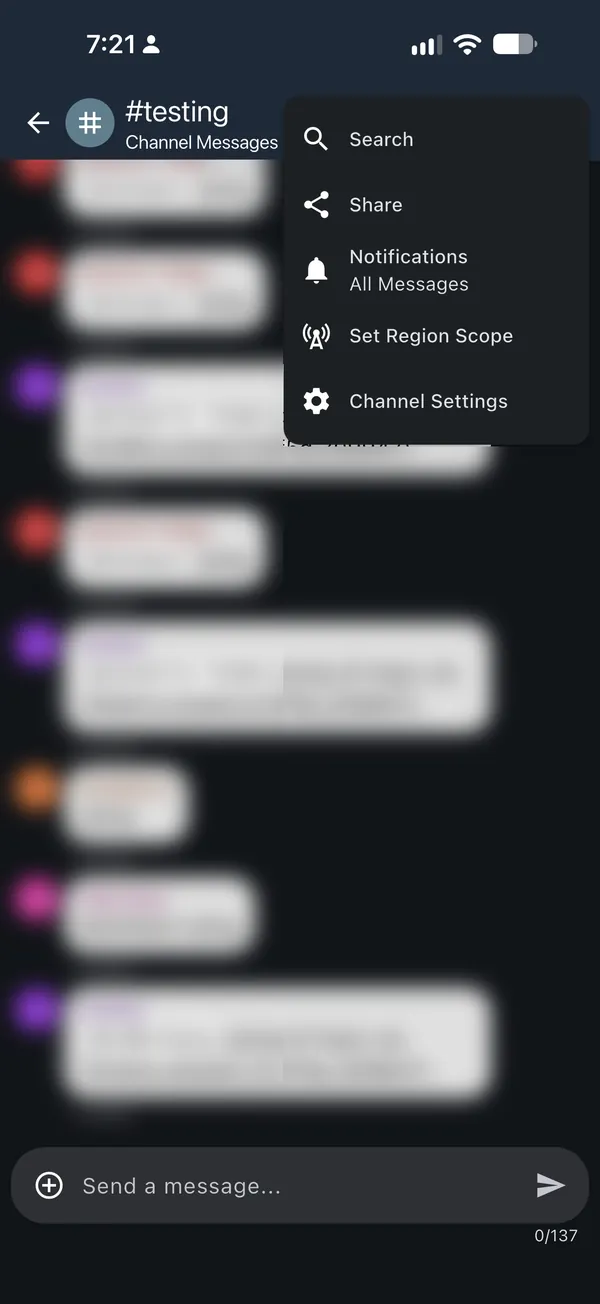
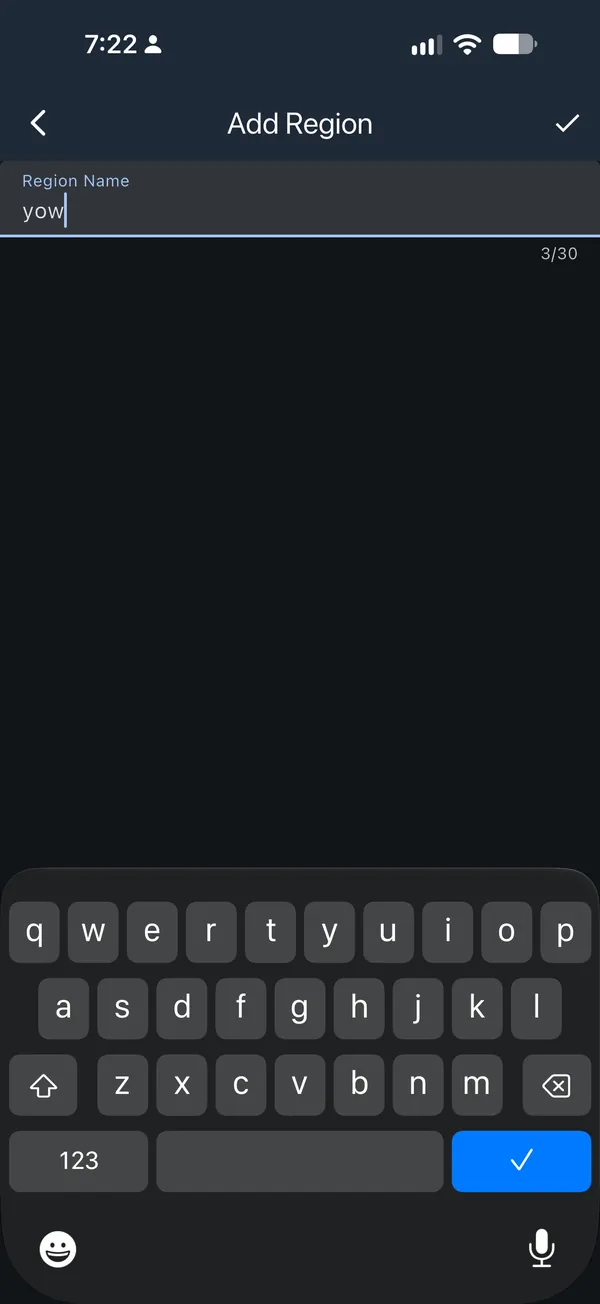
yow) and tap the checkmark.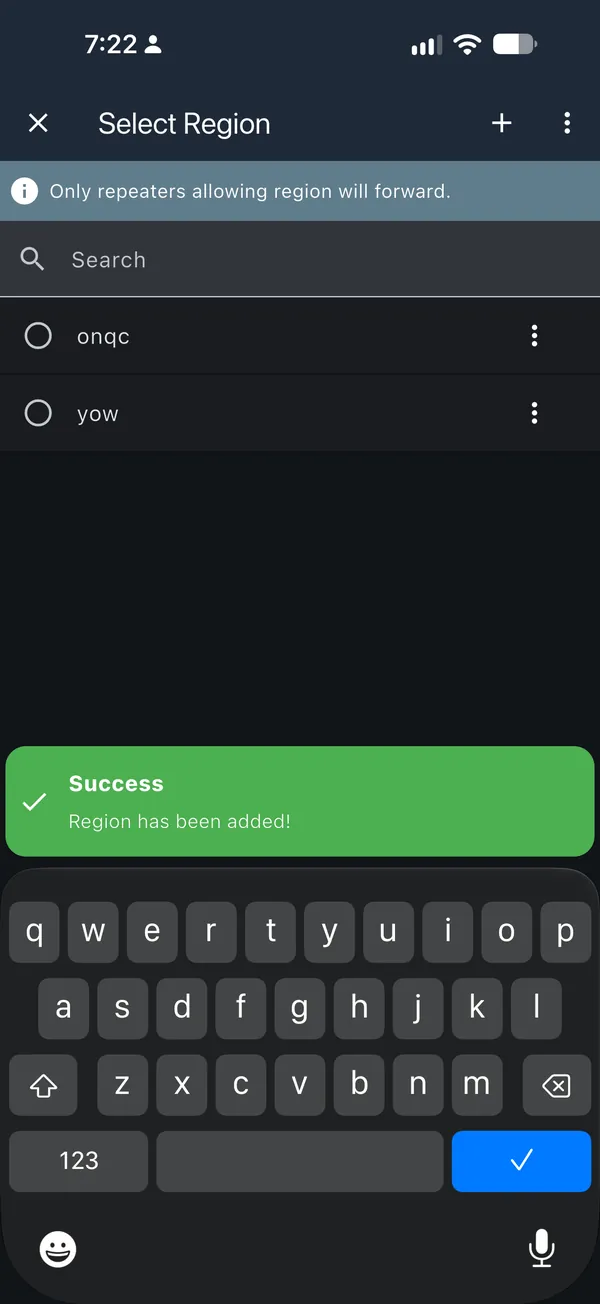
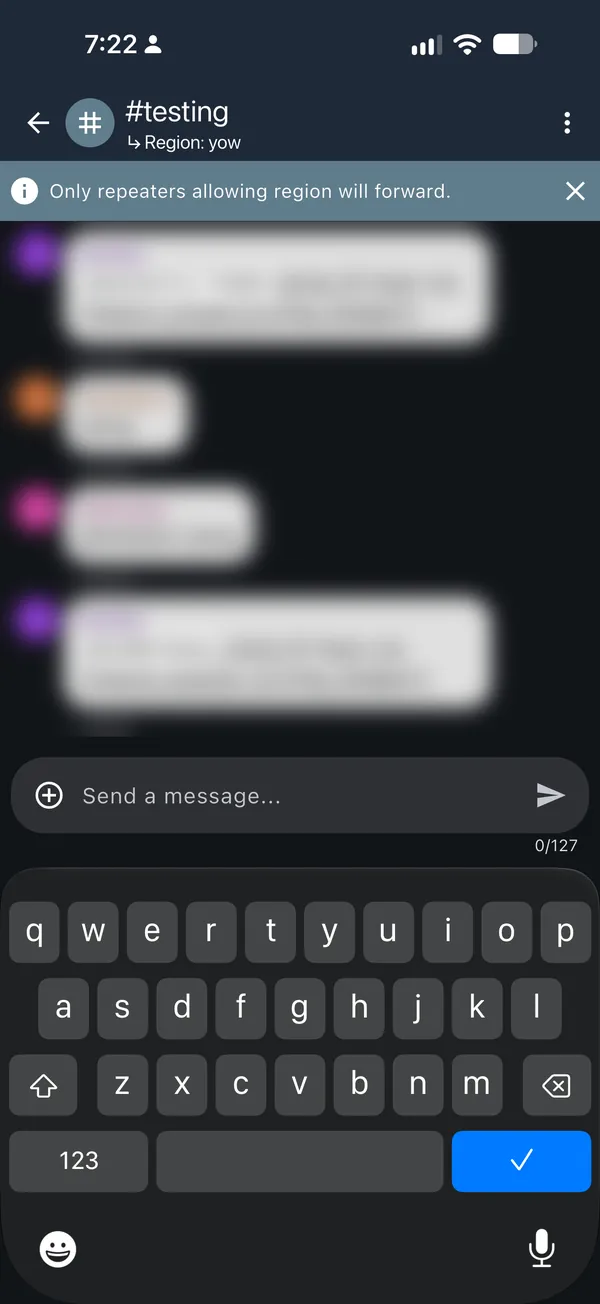
Why the companion default is onqc
Show the explanation
You cannot pick a scope for a single direct message. When a DM has no known path yet, it floods using your default scope. The reply that tells your companion the path comes back using your contact's default scope.
- You, Ottawasends yow
- Ottawa repeateryow on onqc can na
- Montréal repeateryul qc onqc can na
- Québec repeateryqb qc onqc can na
- Friend, Québec Citydefault yqb
The Montréal repeater does not carry yow, so the message stops there. Even if it got through, your friend's reply would use yqb and stop on the way back.
- You, Ottawasends onqc
- Ottawa repeateryow on onqc can na
- Montréal repeateryul qc onqc can na
- Québec repeateryqb qc onqc can na
- Friend, Québec Citydefault onqc
Every repeater carries onqc, in both directions. Once the path is found, later DMs go direct and scopes no longer matter.
The catch: a channel with no scope of its own also uses your default,
onqc, so it reaches all of Ontario and Québec. That is what we want for
Public, but not for test channels and bots. That is why step 2 of the
companion setup sets those to your city.
Phase 3: Only if needed
If messages with no scope are still too noisy inside a city after Phase 2,
repeaters can also run set flood.max.unscoped 3, then region save.
Messages with no scope then stop after 3 hops. Scoped messages still reach
16 hops. Only do this once it is announced for your city.
Who hears what
Show the examples
With edge repeaters dropping messages with no scope, a new user who hasn't set
a scope yet still reaches everyone in their own city. Their messages just
don't cross into the next city. Here is the Ottawa to Montréal link through
Rigaud, an edge repeater that also carries Montréal's code, yul.
- New user, Ottawano scope
- Ottawa repeaterallows *
- Rigaud edge repeaterdrops *
- Montréal repeaterallows *
- Montréal usernever sees it
Every Ottawa-zone repeater passes it on, so the new user reaches the whole Ottawa area. Rigaud hears it but does not pass it on, so Montréal is never flooded.
- Bot, Ottawasends yow
- Ottawa repeateryow on onqc can na
- Rigaud edge repeateryow yul qc onqc can na
- Montréal repeateryul qc onqc can na
- Montréal usernever sees it
Rigaud carries yow, so it passes the message on. Montréal repeaters do not carry yow, so it stops at the edge of the zone.
- You, Ottawasends onqc
- Ottawa repeateryow on onqc can na
- Rigaud edge repeateryow yul qc onqc can na
- Montréal repeateryul qc onqc can na
- Friend, Montréaldefault onqc
Every repeater carries onqc, including the edge repeater, so DMs still cross the whole mesh.
More examples on the same link:
| Message | Ottawa repeaters* yow on onqc can na |
Rigaud edge repeateryow yul qc onqc can na |
Montréal repeaters* yul qc onqc can na |
Who gets it |
|---|---|---|---|---|
| New user in Ottawa, no scope | ✅ Forward | ❌ Drop | Never reached | Whole Ottawa area |
| New user in Montréal, no scope | Never reached | ❌ Drop | ✅ Forward | Whole Montréal area |
Ottawa channel or bot, yow |
✅ Forward | ✅ Forward | ❌ Drop | Ottawa zone only |
Montréal channel or bot, yul |
❌ Drop | ✅ Forward | ✅ Forward | Montréal zone only |
Québec-wide channel, qc |
❌ Drop | ✅ Forward | ✅ Forward | Québec side, including Gatineau |
DM with the companion default, onqc |
✅ Forward | ✅ Forward | ✅ Forward | Whole ON/QC mesh |
This is why bots and MeshMapper should be scoped to their city: they stay contained no matter what, and new users who haven't set a scope yet still work locally.
Things to know
- Scoped messages are about 10 characters shorter. The app lowers the message length limit on scoped channels (137 to 127 in our testing).
- Repeater adverts stay in their city. Montréal users will not see Ottawa repeaters through flood adverts.
- 16 hops has to be enough.
flood.maxapplies toonqctoo. If the longest real path across the mesh is longer than 16 hops, cross-mesh messages will stop part way. - Versions:
region defneeds repeater firmware 1.16 or newer. Default scope in the app needs MeshCore 1.43 or newer.
Next steps
- Agree on the list of city codes for Ontario and Québec.
- Add a "find your town" lookup to meshcore.ca that shows your code.
- Publish clean-up and setup commands for each city.
- Add a simple Ontario and Québec mode to the repeater configurator.
- Other provinces keep the current setup until the pilot has proven itself.
Have thoughts? Share them on the MeshCore Canada Discord or the forum.