Common tasks in the MeshCore app
Step-by-step guides for the most common things you'll do in the MeshCore mobile app.
- Send your first message
- Share your contact link
- Import a contact link
- Trace a path
- Check heard repeats
Send your first message
- Open the app and connect to your companion.
- Open the Public channel, or your community's channel.
- Send a short hello and ask for a reply.
Heard X repeats under your message means a repeater picked it up. A reply means two-way messaging works.
Share your contact link
- Open the MeshCore app and connect to your node.
-
Tap the Signal icon.
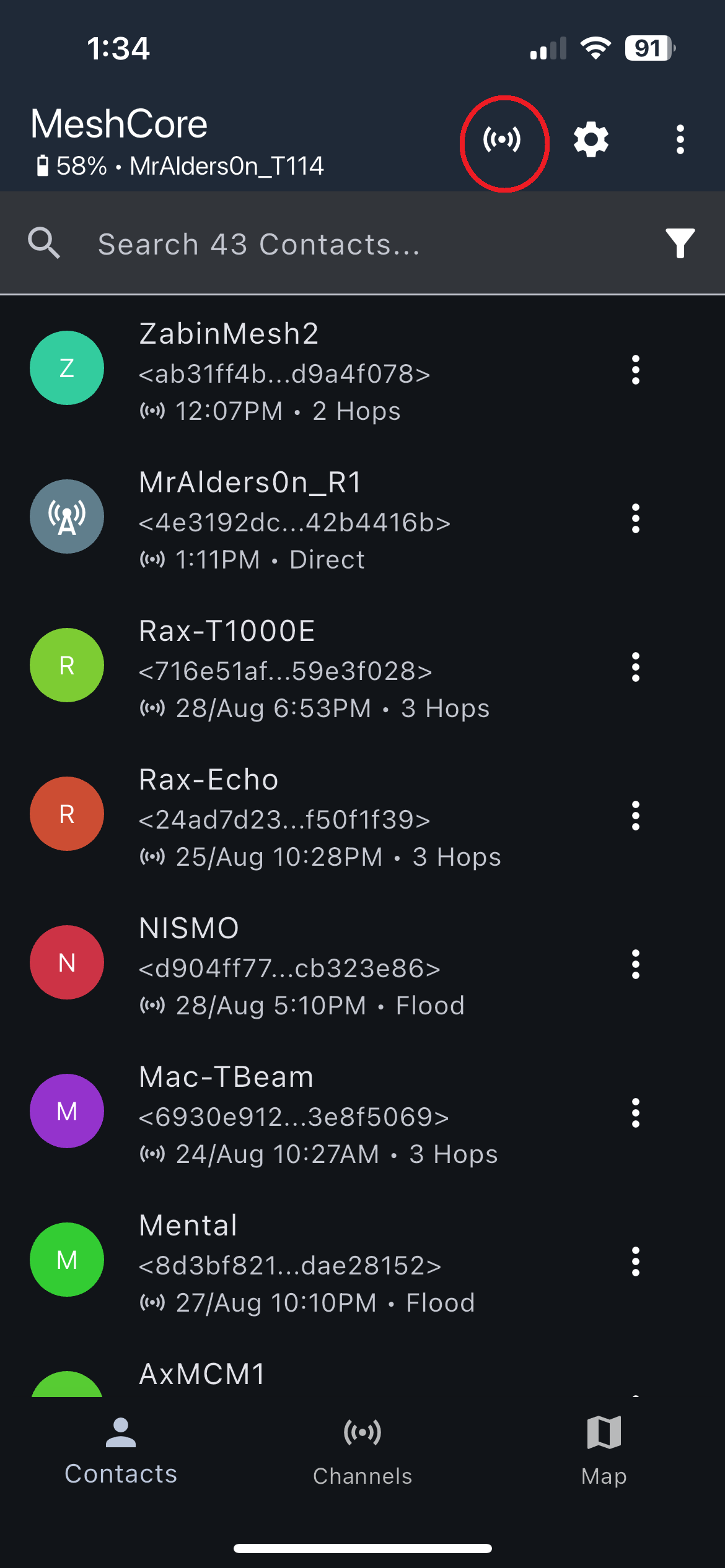
-
Tap Advert → To Clipboard.
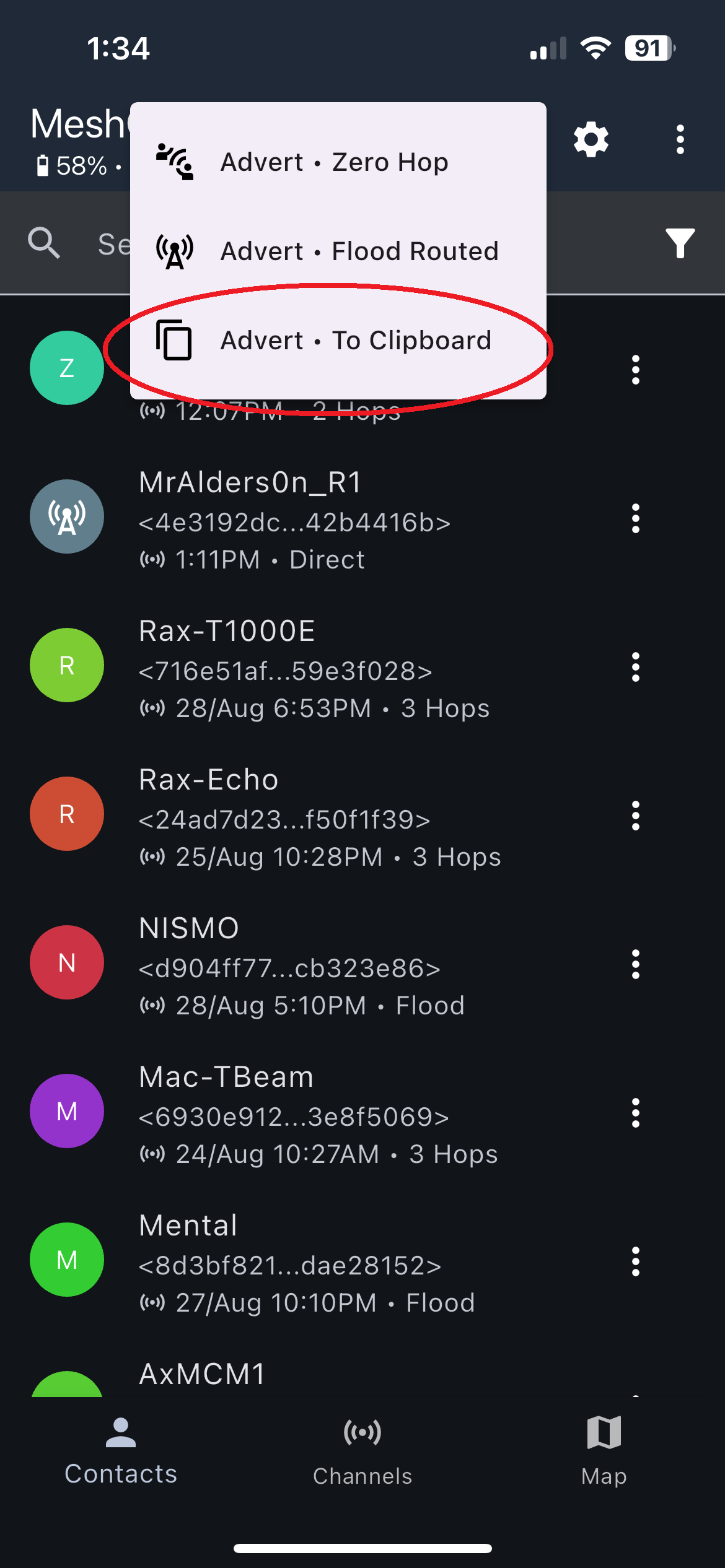
-
Paste your contact link anywhere you want to share it.
Import a contact link
- Open the app and connect to your node.
-
Tap the three dots.
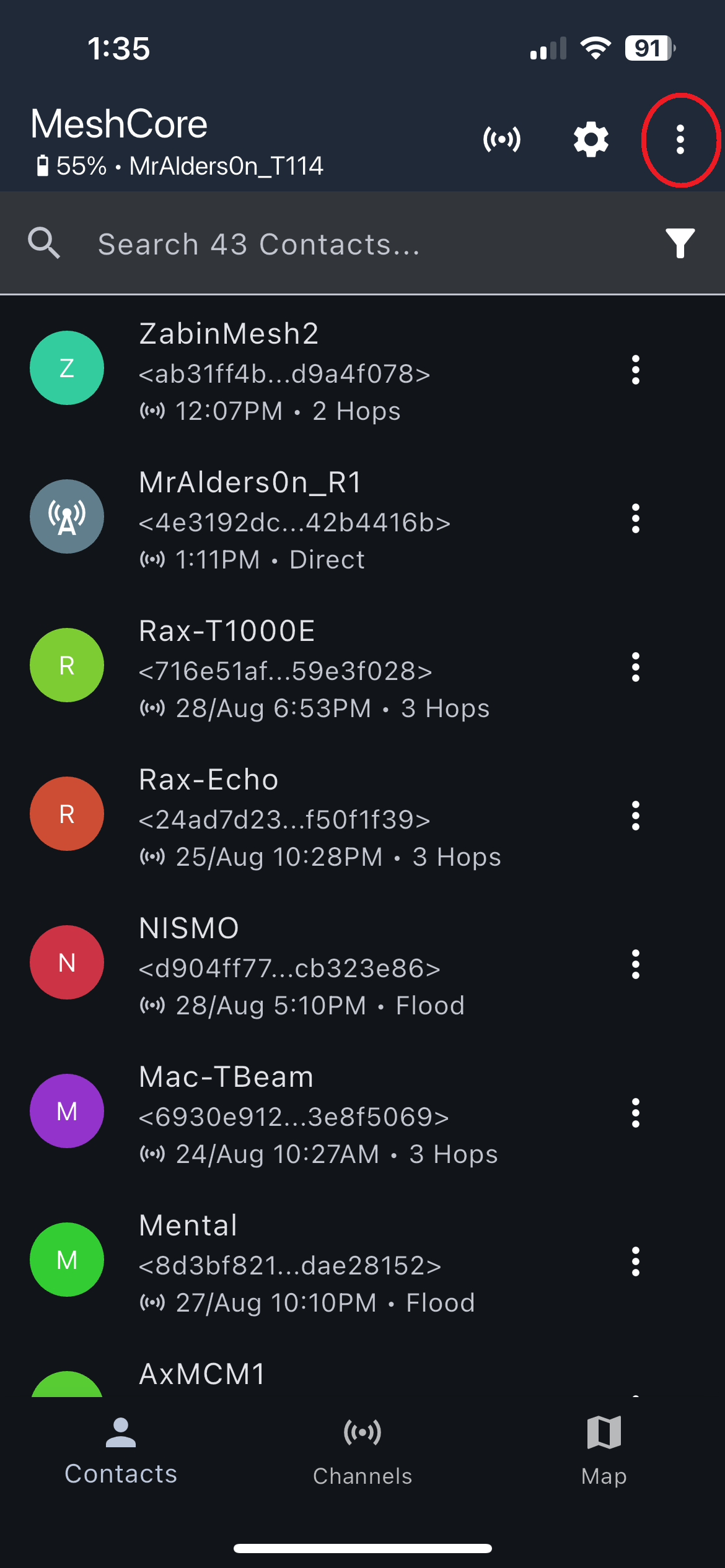
-
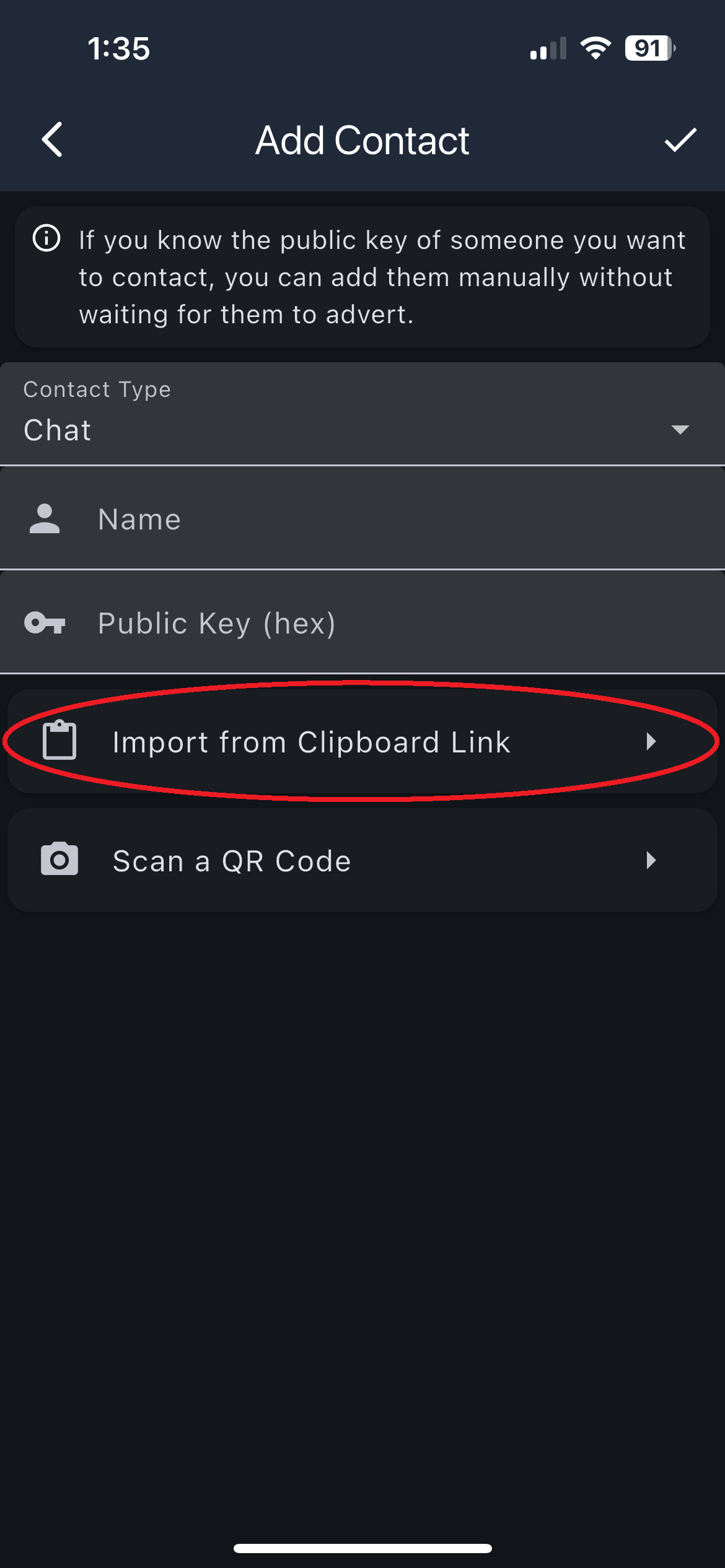
Tap Add Contact.
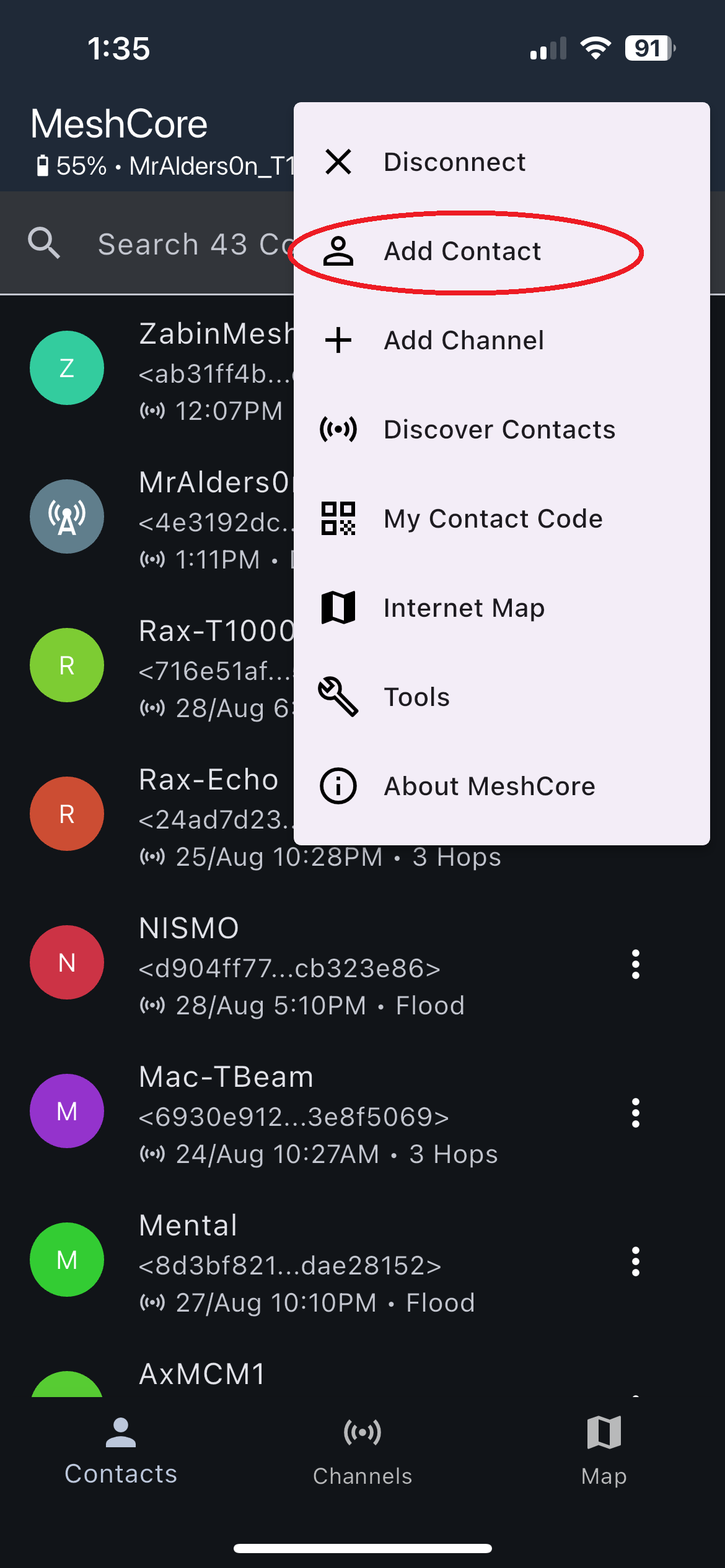
-
Tap Import from Clipboard Link.
-
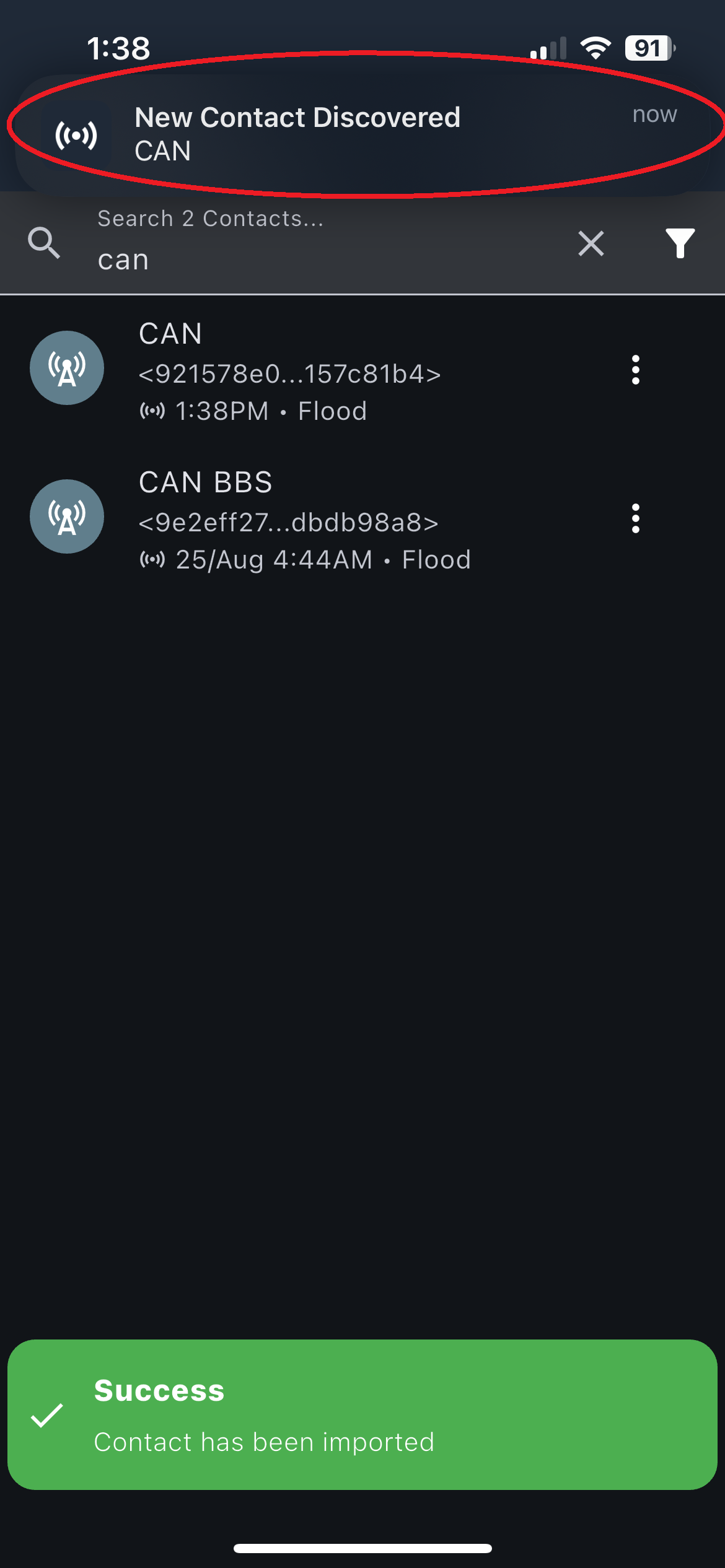
After a few seconds you'll see "Success - contact has been imported".
-
A second popup appears: "New Contact Discovered <NAME>".
- The contact is now added.
Trace a path
One hop
- Open the app and connect.
-
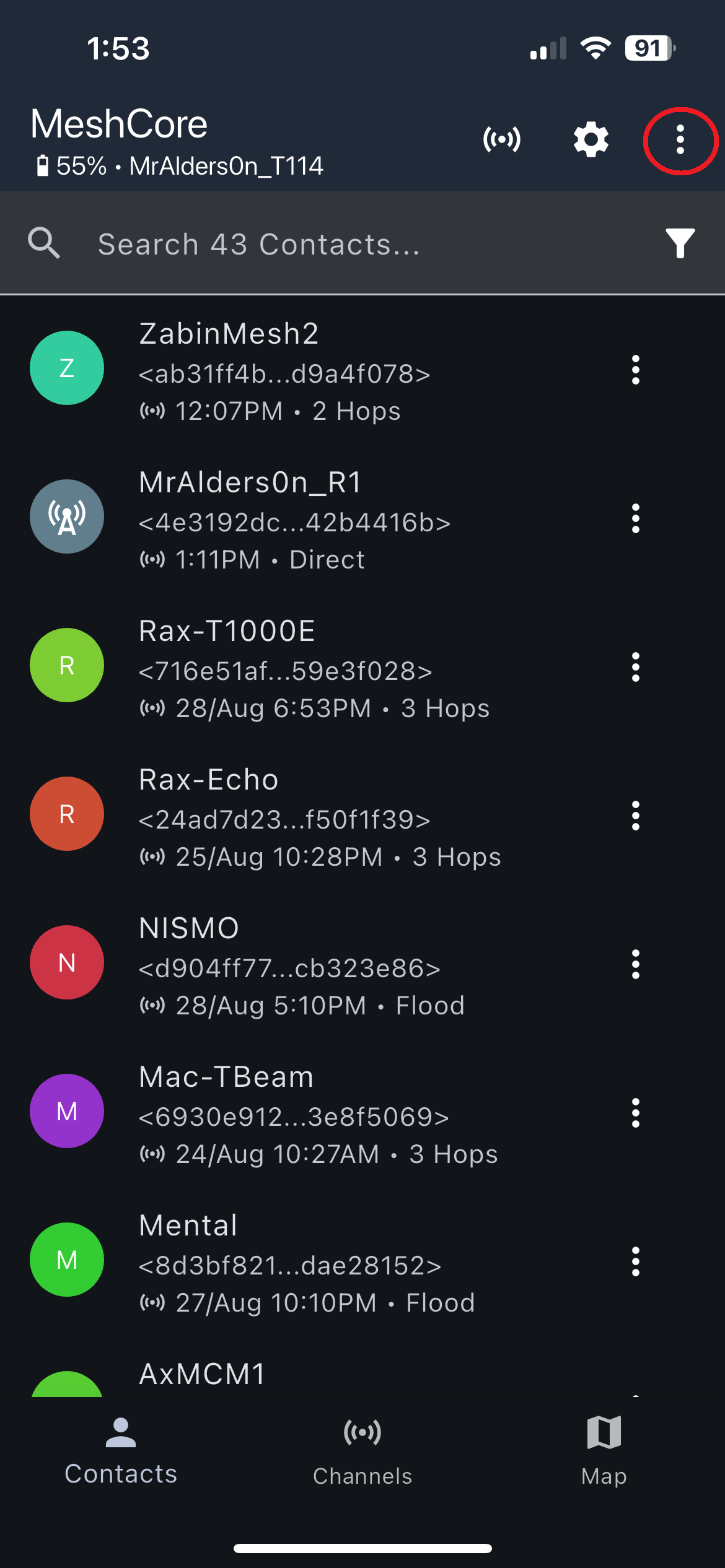
Tap the three dots.
-
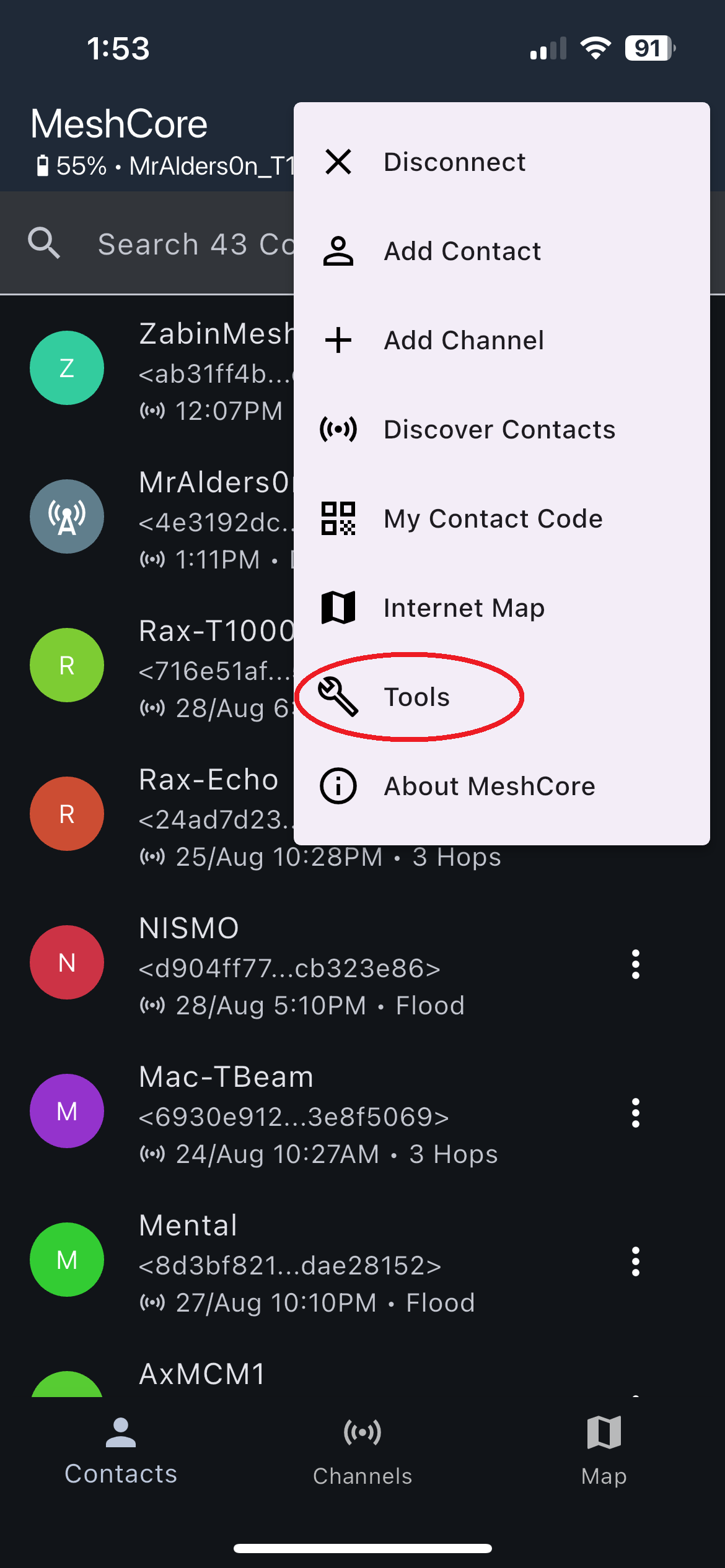
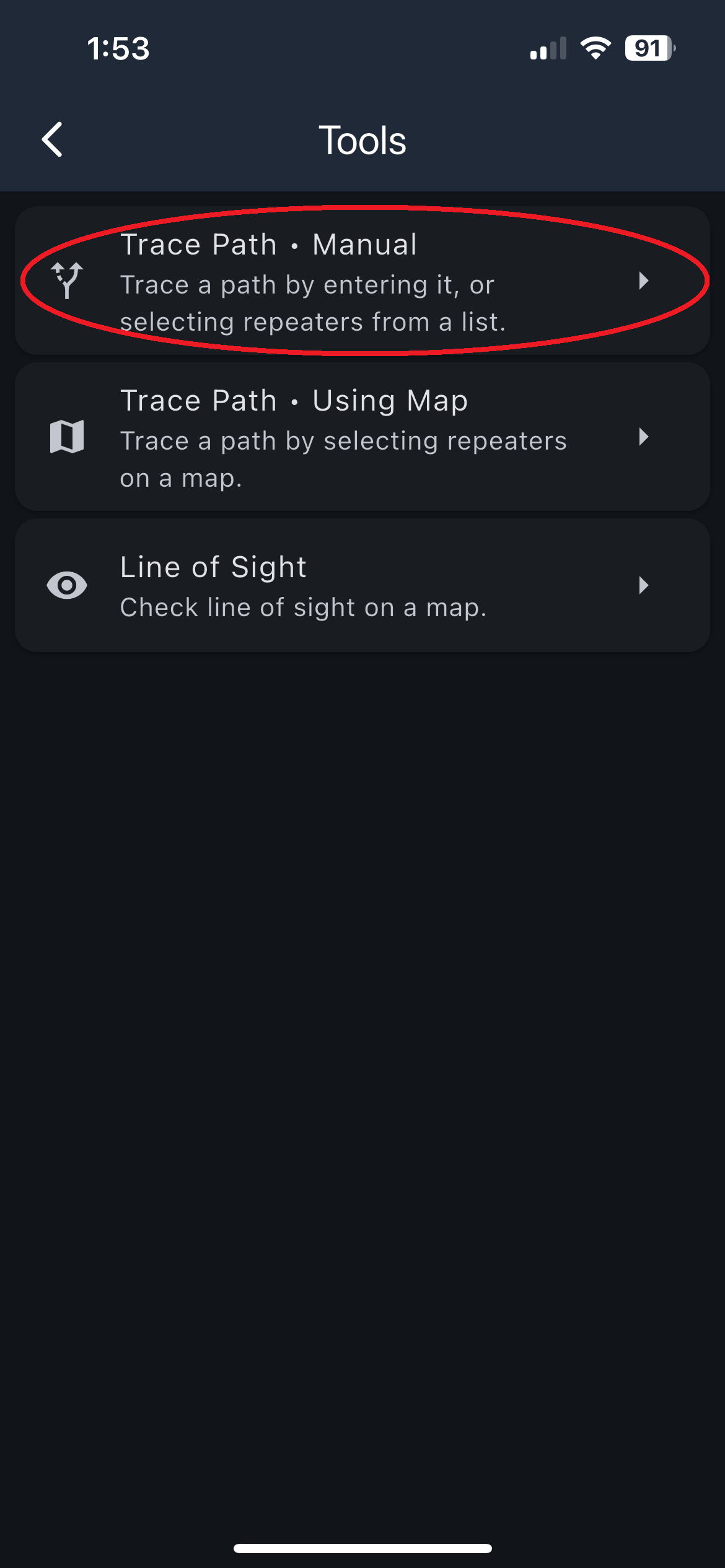
Tap Tools.
-
Tap Trace Path - Manual.
-
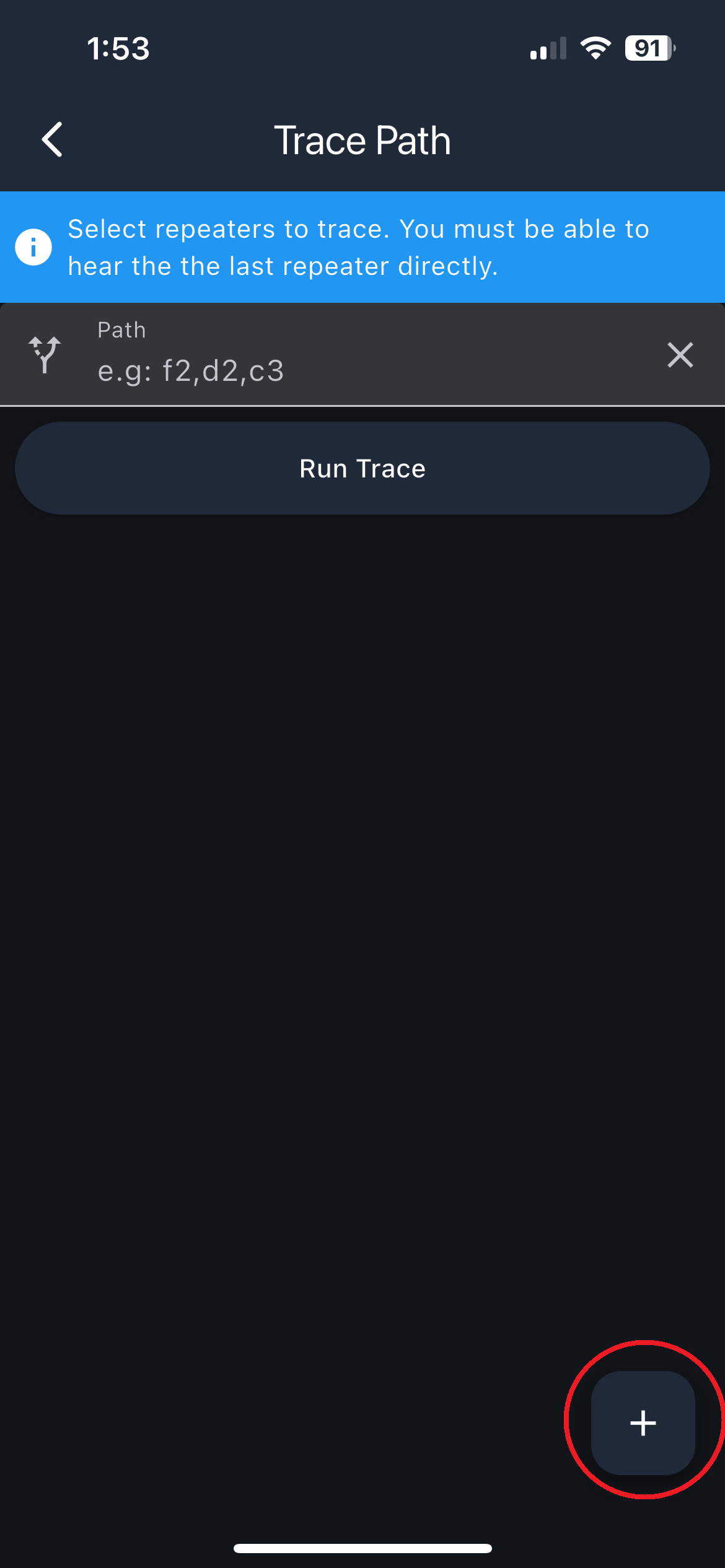
Tap the plus button.
-
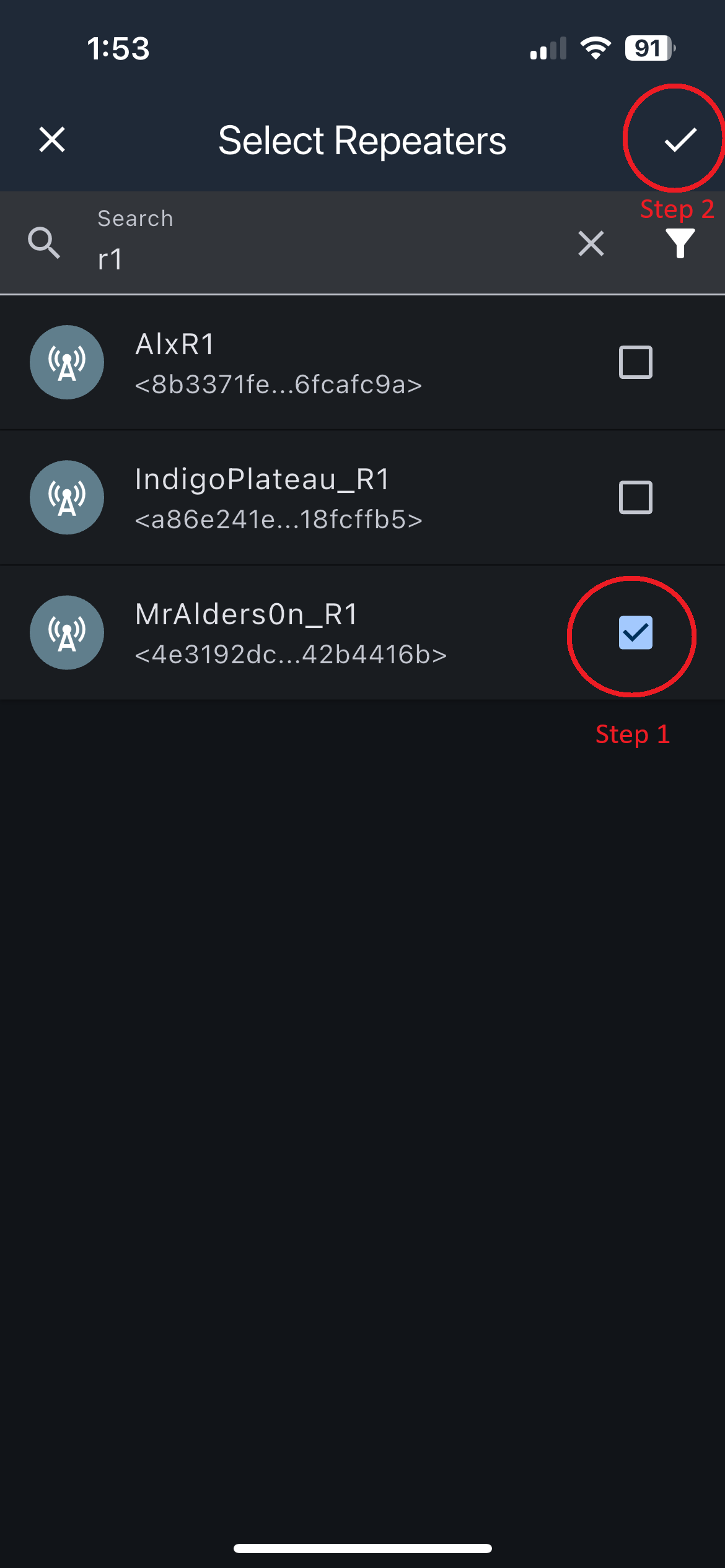
Select a repeater and confirm.
-
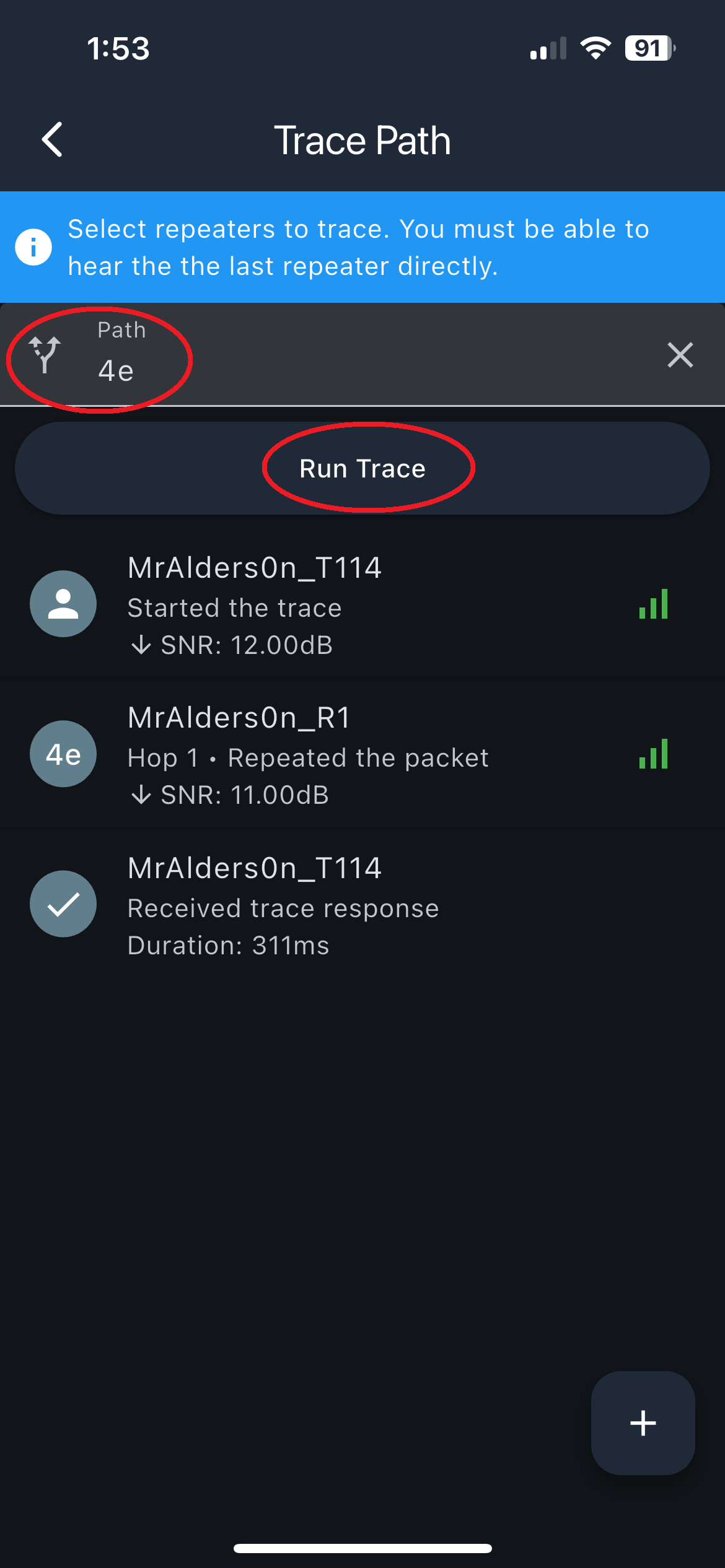
You'll see one repeater ID: that's a 1-hop trace.
-
Tap Trace Path.
Two or more hops
- Follow steps 1 to 5 above.
-
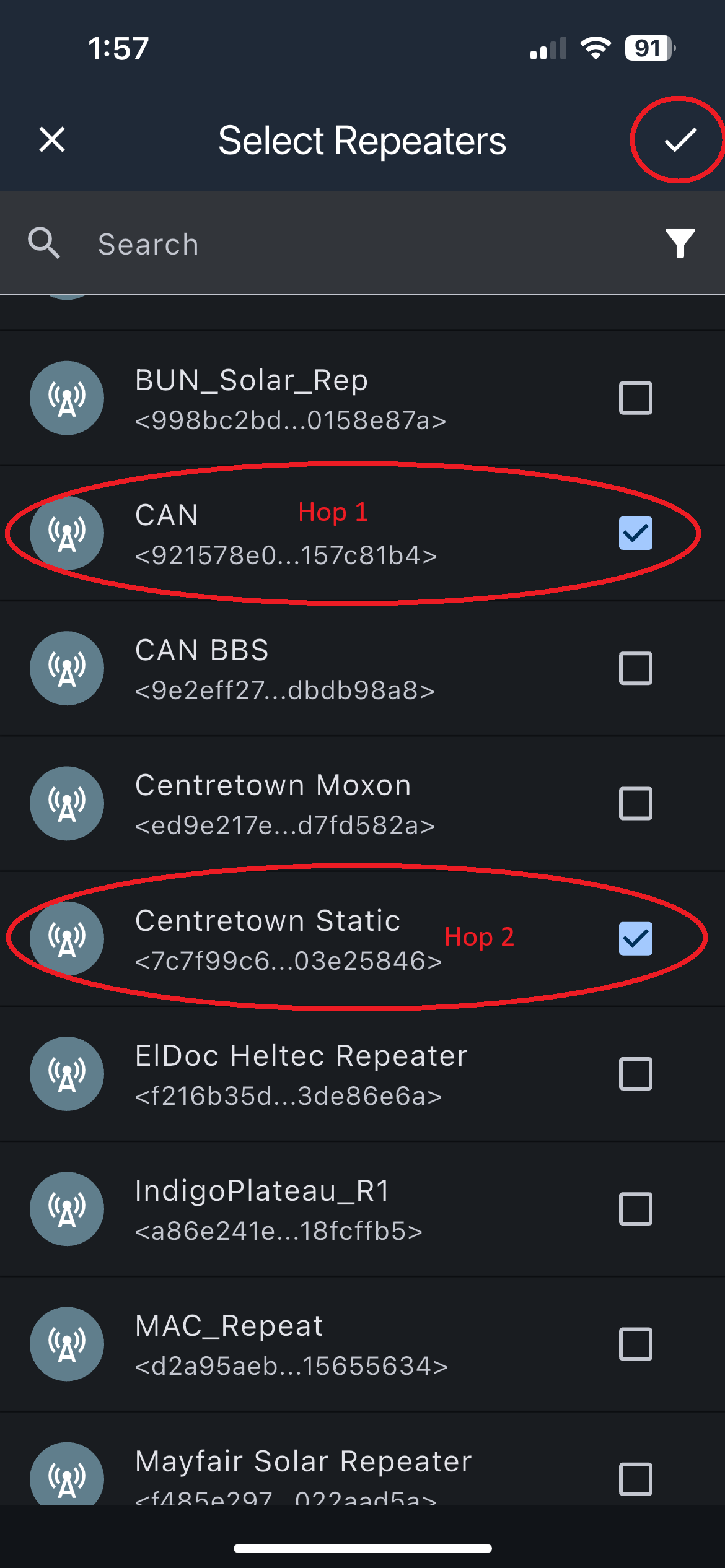
Select repeaters in order:
- choose the forward path and confirm;
- reopen the add menu and choose the return path;
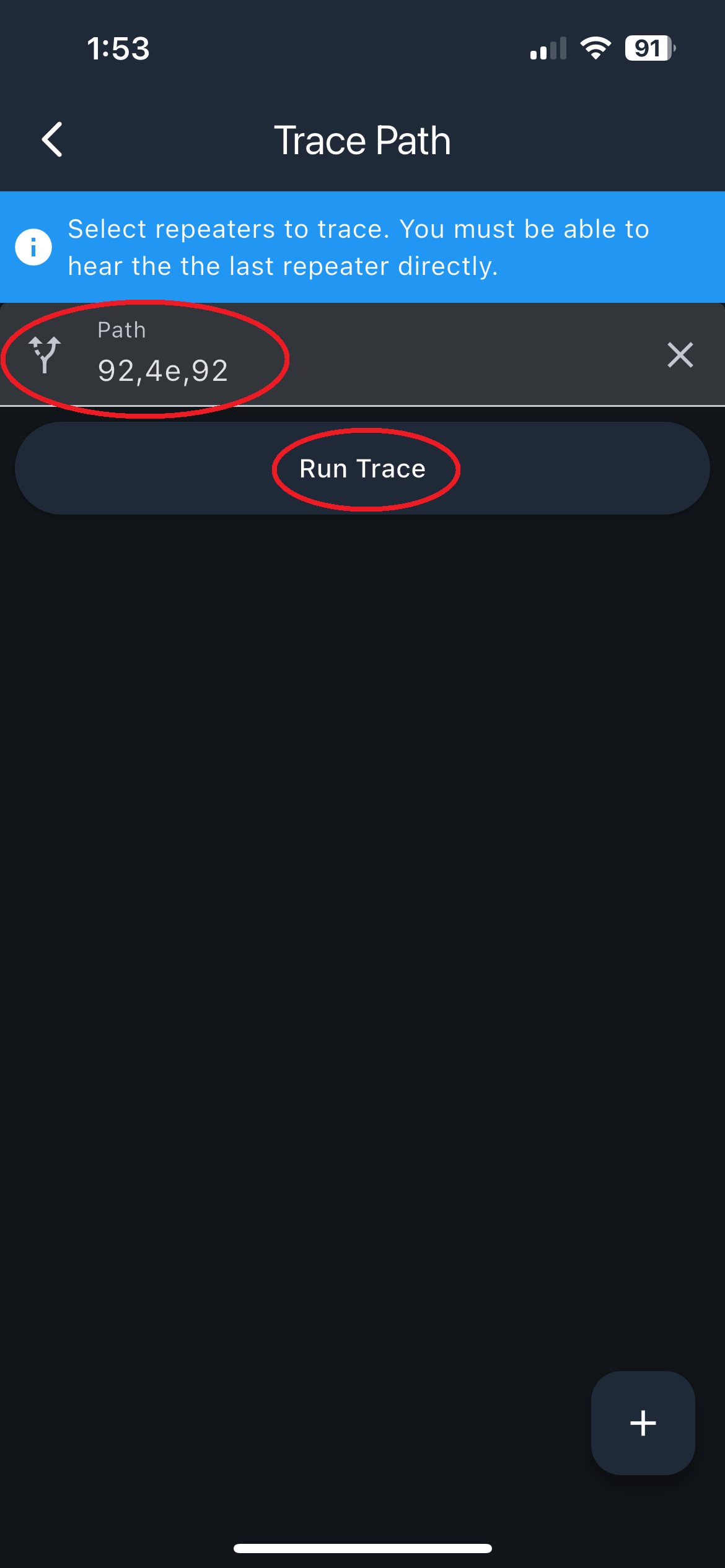
- or type the IDs yourself, for example
d3, f3, d3.
-
Confirm both the forward and return paths, then tap Trace.
-
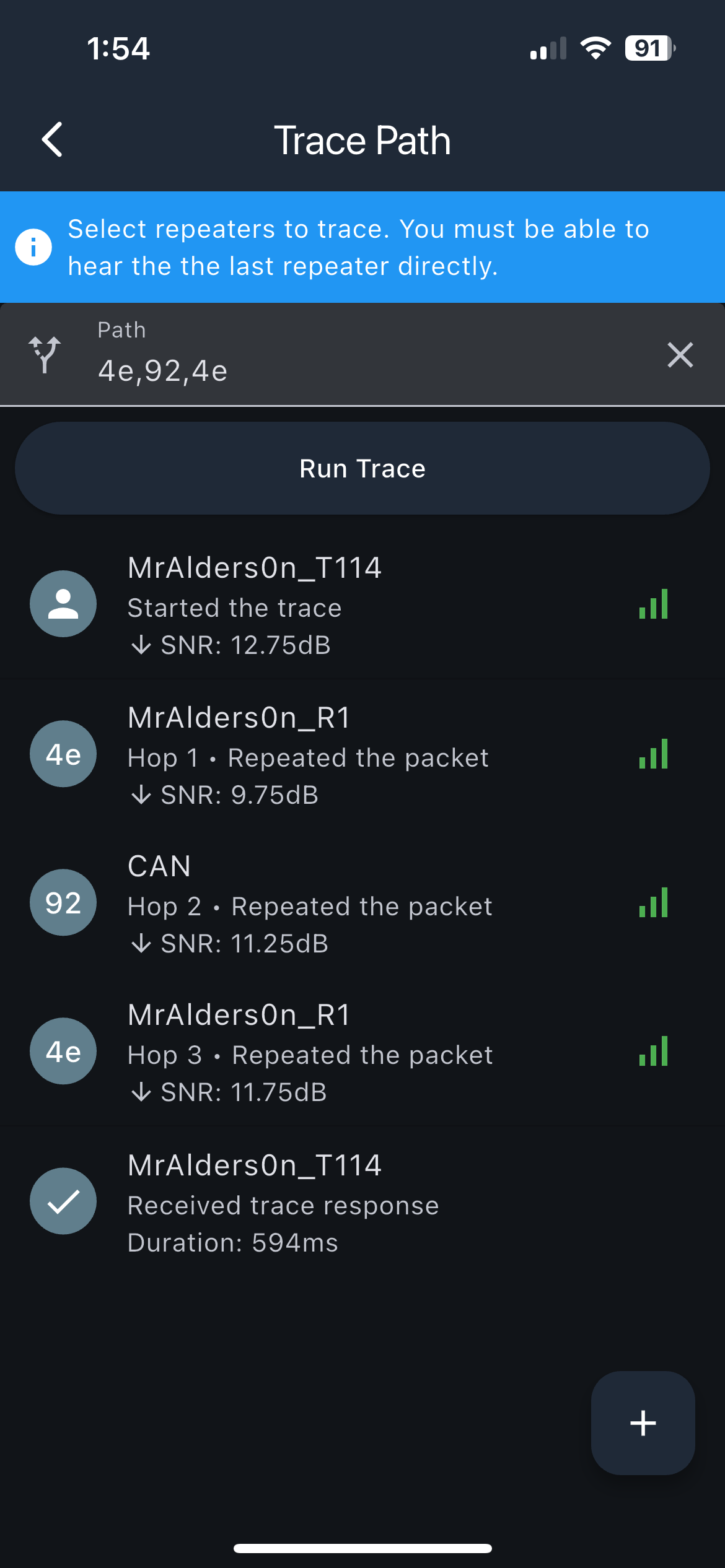
View the results.
Check heard repeats
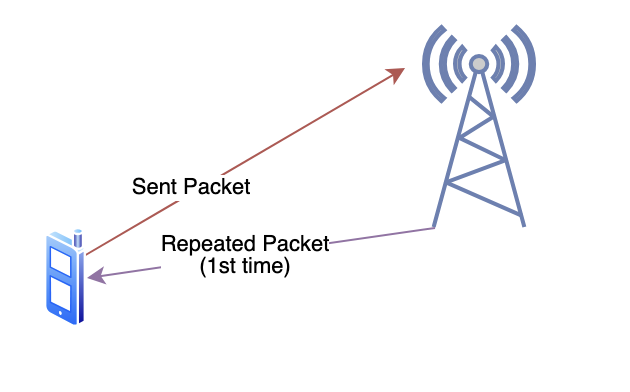
When you send a message, it travels to a nearby repeater, which repeats it. If your companion hears that repeat, it counts as a heard repeat. Your companion can miss a repeat, for example:
- your message reaches the repeater, but the repeat doesn't make it back to you;
-
you're on a 1 W companion and the repeater is 0.3 W: you can reach it, but you may be too far away to hear its repeat.
-
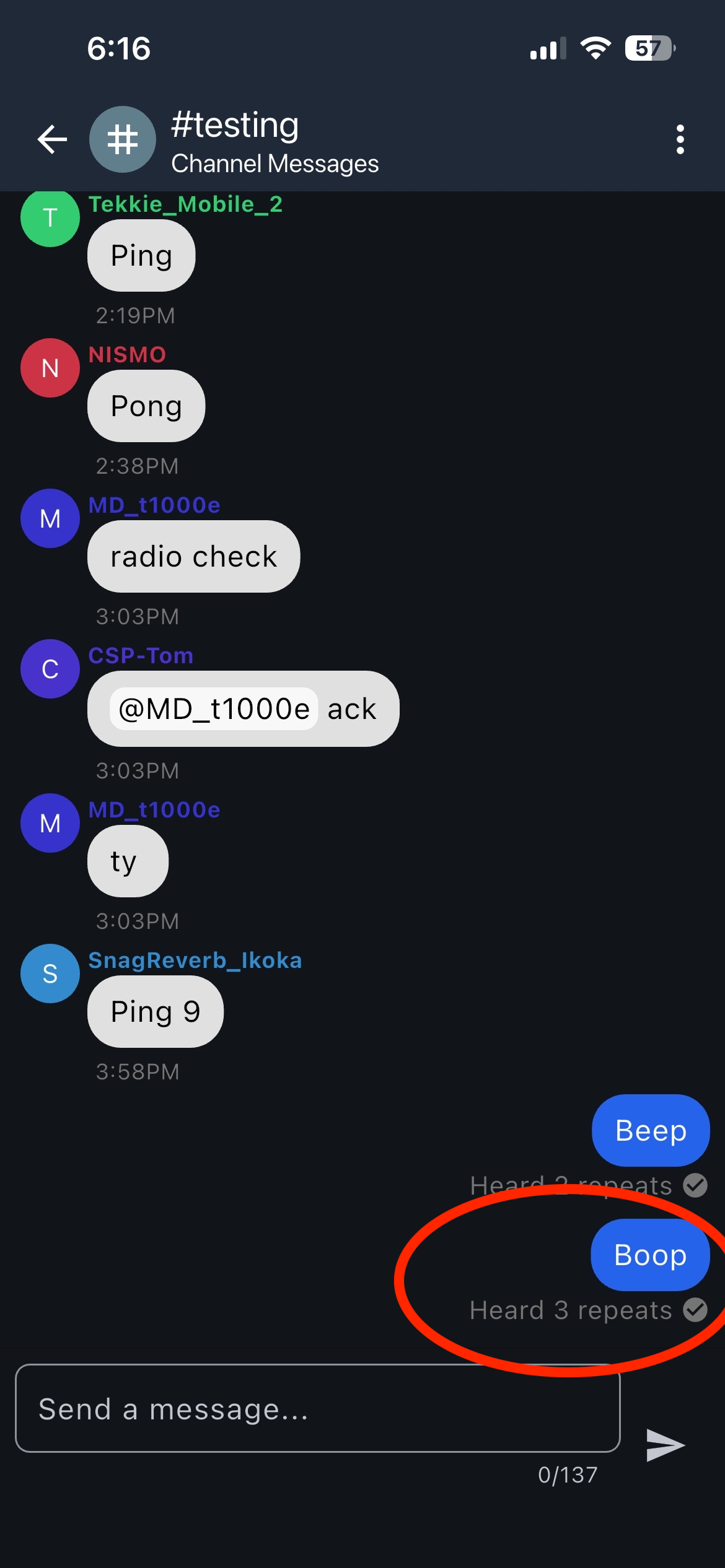
Send a message in the Public channel.
-
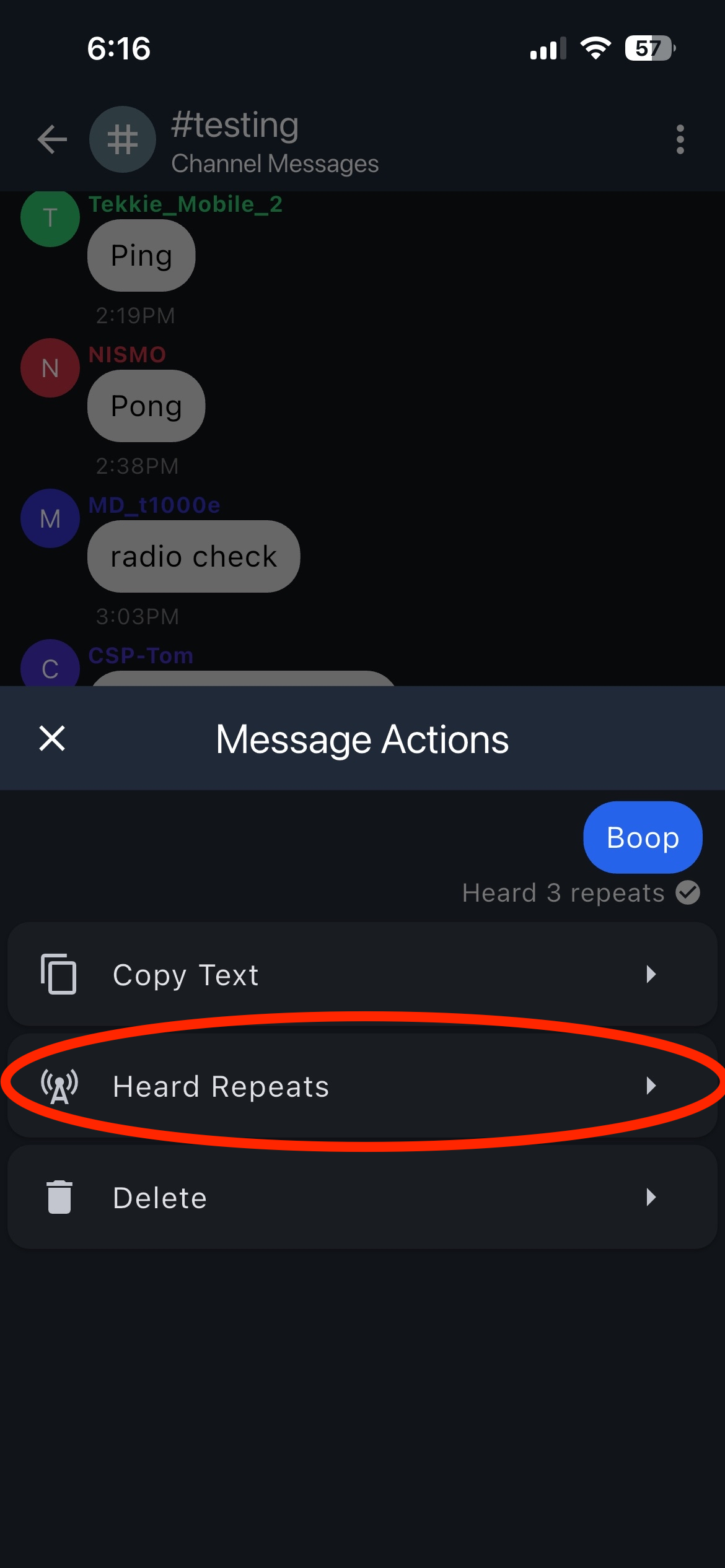
When Heard X repeats shows under your message, press and hold the message.
-
Tap Heard Repeats.
-
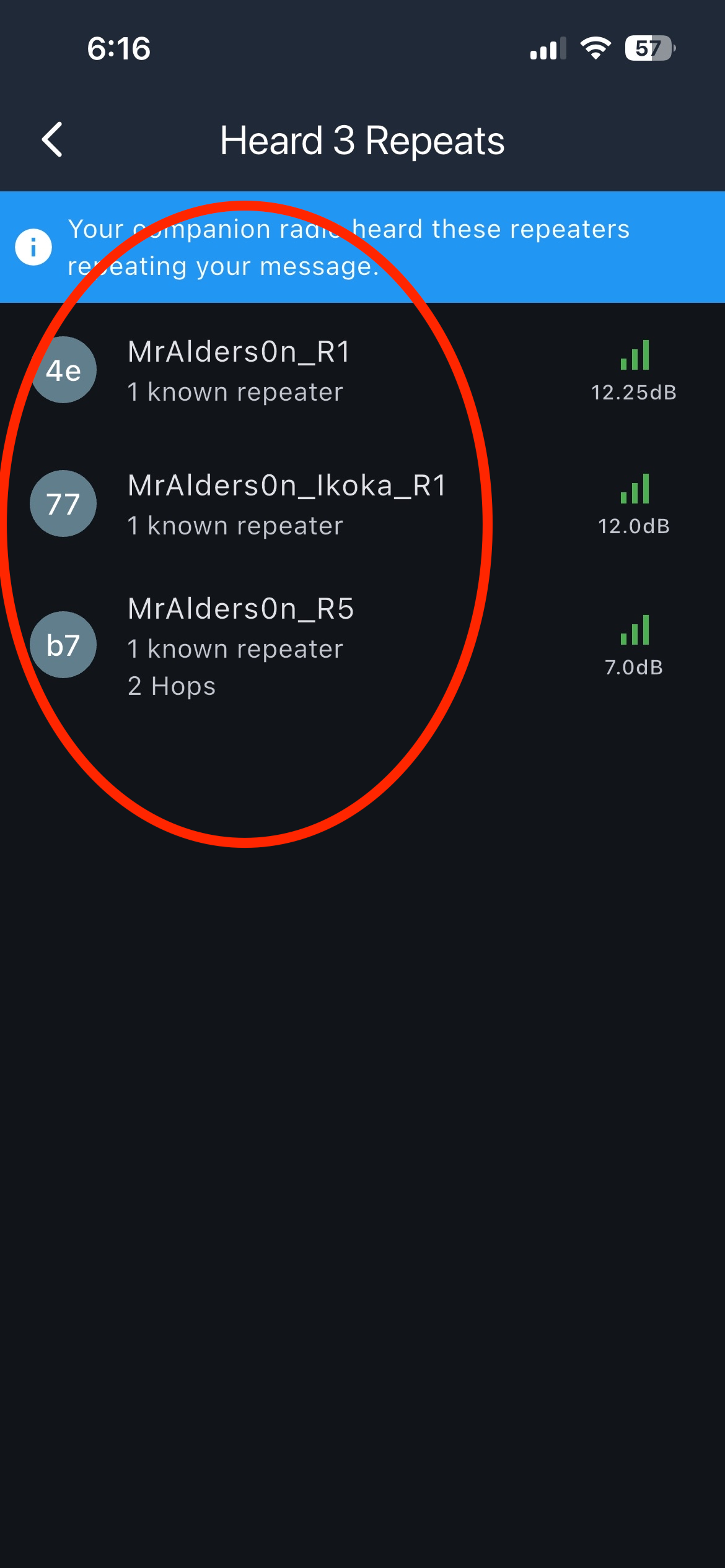
You'll see every repeater your companion heard repeating that message.
-
Tap a repeater to see the path its repeat took back to you.
Notes:
- A repeater close to you may show up as a direct hop.
- You may also see a distant repeater. That happens when it hears your message shortly after another repeater and your companion hears both repeats.
- Your companion must hear a repeater directly for it to appear in the list.
Example: direct repeat

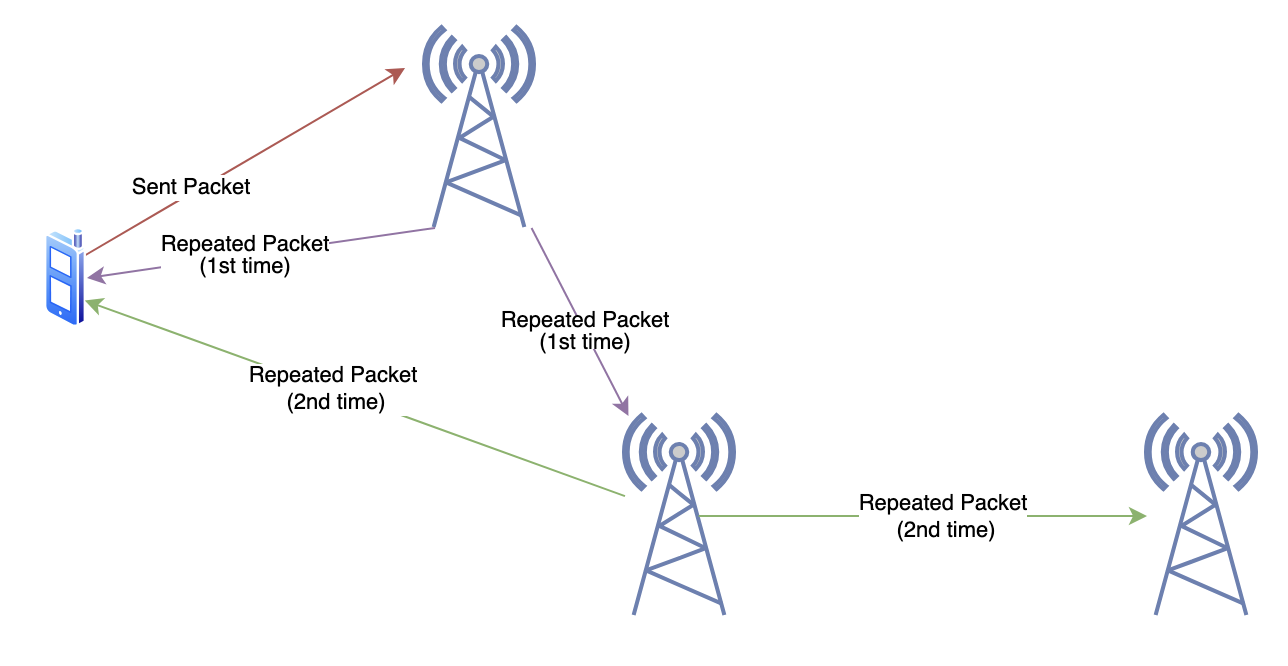
Example: multi-hop repeat
One repeater hears your message and repeats it, then your companion hears a second repeater's repeat of that same message:

Stuck? Get help.